A use case is a short, step-by-step story describing how someone achieves a goal with your system. This guide shows how to write actionable use cases that align teams, reduce rework, and lead to cleaner, more testable code.
January 1, 2026 (6mo ago) — last updated February 14, 2026 (5mo ago)
Use Case Definition Guide for Software Teams
Learn to write actionable use cases that align teams, reduce rework, and drive clean, testable code in agile software projects.
← Back to blog
Use Case Definition: Practical Guide for Software Teams
Explore a clear use case definition and learn how to write actionable use cases that drive clean code and agile development with this practical guide.
A use case is a step-by-step story of how someone uses a system to get something done. Don’t think of it as a dry, technical document. Instead, picture it as a short narrative that spells out the “who”, “what”, and “why” of a specific feature. That storytelling approach gets everyone on the same page and reduces costly miscommunication17.
What Is a Use Case in Software Development
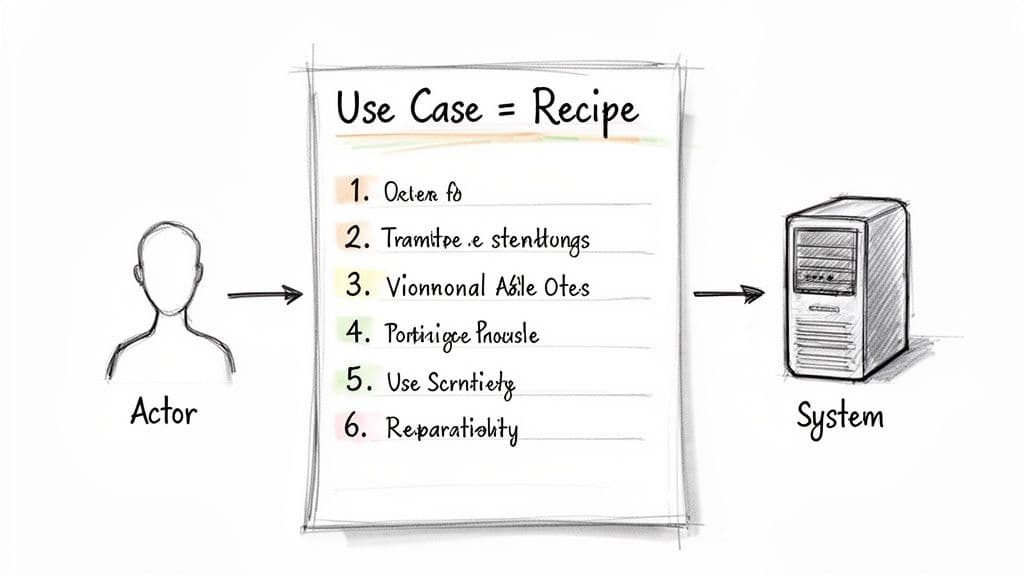
Think of a use case like a recipe for baking a cake. The recipe tells you who’s doing the work (the actor), what you need before you start (preconditions), and the exact steps to get a finished cake (the interaction flow). A use case does the same for a software feature.
It captures the complete interaction from the user’s point of view, focusing on a single, meaningful goal. This structured approach aligns developers, QA, product managers, and stakeholders around a testable outcome. Clear use cases limit rework and prevent defects that can be expensive to fix later in development8.
Core Components of a Use Case
Every solid use case contains a few essential parts:
- Use Case Name — A short verb-noun phrase describing the goal (for example, “Log In to Account”).
- Actor — The user or system initiating the interaction (for example, “Registered User”).
- Preconditions — Conditions that must be true before the use case starts (for example, “User is on the login page”).
- Basic Flow — The step-by-step “happy path” to achieve the goal.
- Alternative Flows — Variations that still lead to success, including common detours.
- Postconditions — The system state after successful completion (for example, “User is authenticated and has an active session”).
Having these parts defined removes ambiguity and gives a complete picture for implementation and testing.
Why a Clear Definition Matters
Getting the use case definition right is critical. Misunderstandings early in a project can cascade into late rework, missed deadlines, and higher costs. A clear use case is a contract of understanding between the business and the development team: it aligns expectations and becomes the single source of truth for a feature’s intended behaviour1.
This shared clarity is indispensable for complex applications where small interaction details matter. By mapping every step—from the happy path to exceptions—teams can build with purpose and precision. For practical implementation guidance, see Clean Code Principles at Clean Code Guy5.
Use Cases, User Stories, and Requirements — How They Fit Together
In software planning, “use case,” “user story,” and “requirement” each serve a different purpose. Use the right artifact for the right job to move from vision to execution smoothly.
- Requirements — What the system must be capable of doing (high-level). Example: “The system shall allow users to register for an account.”
- User Stories — Why a user wants a capability (user value). Example: “As a new visitor, I want to register so I can save my preferences.”
- Use Cases — How a user interacts with the system to achieve a goal (detailed). Use cases translate a user story into a concrete plan developers can build and testers can verify.
A use case bridges the gap between business goals and technical implementation, helping teams avoid assumptions and unclear acceptance criteria.
How to Write an Actionable Use Case
A practical use case is a blueprint that removes ambiguity for developers and testers. Use a predictable structure that forces you to think through every critical path and potential hiccup before coding.
Essential template elements:
- Actor: Who starts the interaction — a user, system, or automated process.
- Preconditions: Initial state required to begin.
- Basic Flow (Happy Path): Steps when everything goes as planned.
- Alternative Flows: Variations that still reach the goal.
- Exception Flows: Errors and failures that prevent completion.
For more on structuring these elements, see Clean Code Principles5.
Real-World Example: Reset User Password
Use Case Title: Reset User Password
Actor: Registered User
Preconditions:
- The user has an account with a confirmed email address.
- The user is on the “Forgot Password” page.
Basic Flow (Happy Path)
- User enters their registered email and clicks “Send Reset Link.”
- System checks whether the email exists.
- System generates a unique, single-use reset token.
- System sends an email with the reset link.
- User clicks the link.
- System loads the “Create New Password” form.
- User enters and confirms the new password, then clicks “Submit.”
- System validates the password, updates the account, and invalidates the token.
- System shows success and redirects to the login page.
Alternative Flows
- A1: Non-Existent Email — At Step 2, display a generic message: “If an account with that email exists, a reset link has been sent.” This prevents exposing registered emails.
- A2: Passwords Do Not Match — At Step 8, show an inline error and ask the user to re-enter the passwords.
Exception Flows
- E1: Email Service Failure — At Step 4, log the error and show: “We’re having trouble sending emails right now. Please try again later.”
- E2: Invalid or Expired Token — At Step 5, show an error page with a clear link to restart the reset process.
Focused public-sector projects often limit scope to high-priority use cases to avoid a cluttered strategy and produce clearer outcomes3.
Connecting Use Cases to Clean Code and Refactoring
A use case is a blueprint for maintainable code. The basic flow maps to the core logic of a function or component, while alternative and exception flows guide error handling and separation of concerns. That alignment helps you follow the Single Responsibility Principle and reduce technical debt.
For example, a monolithic Next.js function that handles validation, payments, and confirmation should be split into smaller modules: one for validation, one for payment processing, and a thin orchestration layer. A detailed use case makes these separation points obvious, improving testability and maintainability.
This same rigor applies outside software: transportation planning teams that use precise use cases and multiple metrics avoid decisions driven by a single misleading data point4.
Supercharging AI Pair Programming with Precise Use Cases
AI coding assistants work best when given precise prompts. A vague request produces generic code; a prompt based on a detailed use case gives context, constraints, and acceptance criteria so the AI can produce usable, testable code.
Before (Vague Prompt)
“Write a React component to handle user login.”
After (Use Case–Driven Prompt)
“Create a React component for user login. The component must accept email and password inputs.
- Precondition: The user is not currently authenticated.
- Basic Flow: On form submission, send a POST request to
/api/auth/login. If successful (200 OK), redirect to/dashboard.- Alternative Flow: If credentials are invalid (401), display ‘Invalid email or password’.
- Exception Flow: If the API request fails for other reasons, show ‘An unexpected error occurred. Please try again.’”
Store use cases with your technical docs and link them from feature tickets to make AI pairing and human collaboration more effective6.
Common Questions About Writing Use Cases
Are use cases still relevant in agile development?
Yes. User stories capture high-level needs, but complex features benefit from more depth. Use cases complement user stories by providing the behavior detail developers and QA need before work begins.
How detailed should a use case be?
Provide just enough detail to remove ambiguity. A well-written use case gives developers what they need to implement the feature and QA what they need to test it without repeated clarification.
Can you have a use case without an actor?
Yes. System-initiated or scheduled processes are valid use cases: scheduled reports, automated archives, and inbound API processing are common examples.
Key Questions Answered
Q: What problem does a use case solve?
A: It removes ambiguity by documenting the actor, preconditions, happy path, alternative flows, and exceptions so teams share a single testable understanding.
Q: When should I write a use case instead of just user stories?
A: For features with multiple steps, integrations, or edge cases—especially those affecting user flow, security, or data integrity.
Q: How do use cases reduce bugs?
A: They require teams to document edge cases and failure modes up front, which improves error handling, acceptance criteria, and test coverage.
\"1\".
Bay Area Market Reports, “Context, Use, and Misuse of Real Estate Statistics,” https://www.bayareamarketreports.com/trend/context-use-and-misuse-of-real-estate-statistics
\"2\".
State of JS, ecosystem survey and analysis, https://stateofjs.com
\"3\".
Bernard Marr, “How to Define a Data Use Case (with Handy Template),” https://bernardmarr.com/how-to-define-a-data-use-case-with-handy-template/
\"4\".
Harvard Ash Center, Data-Smart City Solutions, “How Can Data and Analytics Be Used to Enhance City Operations?” https://datasmart.hks.harvard.edu/how-can-data-and-analytics-be-used-to-enhance-city-operations-723
\"5\".
Clean Code Guy, “Essential Clean Code Principles,” https://cleancodeguy.com/blog/clean-code-principles
\"6\".
Clean Code Guy, “What Is Pair Programming?” https://cleancodeguy.com/blog/what-is-pair-programming
\"7\".
The Standish Group, CHAOS Report — analysis of project causes and recovery; requirements and communication issues are frequent contributors to project failure. https://www.standishgroup.com
\"8\".
National Institute of Standards and Technology, “The Economic Impacts of Inadequate Infrastructure for Software Testing,” reporting large costs associated with defects and inadequate requirements; see https://www.nist.gov
🙋🏻♂️
AI writes code.You make it last.
In the age of AI acceleration, clean code isn’t just good practice — it’s the difference between systems that scale and codebases that collapse under their own weight.