Unlock scalable, maintainable applications with a focused guide to MVC pattern diagrams. Learn to visualize data flow, assign responsibilities, refactor bloated code, and design systems that are easier to test, debug, and extend.
February 3, 2026 (6mo ago) — last updated July 22, 2026 (1mo ago)
MVC 模式图:构建清晰可扩展的架构
通过 MVC 模式图可视化数据流与职责,学习组件图与时序图、重构策略与常见反模式,提升可维护性与团队效率。
← Back to blog
MVC 模式图:构建清晰可扩展的架构
Summary: 使用 MVC 模式图可视化数据流与职责,学习组件图与时序图、重构策略与常见反模式,提升可维护性与团队效率。
Introduction
Unlock scalable, maintainable applications with a focused guide to MVC pattern diagrams. This article shows how to visualize data flow, assign clear responsibilities, refactor bloated components, and design systems that are easier to test, debug, and extend.
An MVC pattern diagram maps an application’s architecture into three roles: the Model (manages data), the View (renders the interface), and the Controller (handles input and coordination). That separation prevents tangled logic and keeps systems predictable and easier to evolve.
What Is the MVC Pattern and Why It Matters
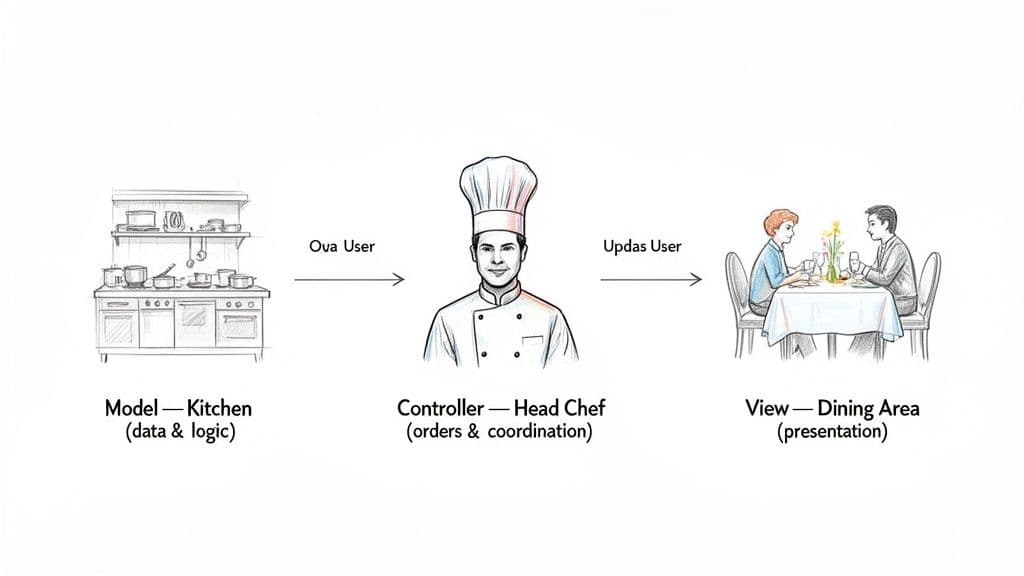
Think of Model-View-Controller (MVC) like a well-run restaurant: the kitchen prepares food (Model), the dining area presents it (View), and the head chef coordinates orders (Controller). This analogy helps when reading or creating an MVC diagram.
Separation of concerns prevents “spaghetti code.” When each part has a distinct role, changes remain predictable and contained. Demand for software developers remains strong1.
The Three Core Components
- Model (The Kitchen): Manages data, business rules, and validations. The single source of truth; it doesn’t know how data will be presented.
- View (The Dining Area): Renders the user interface. Presentation only — no business logic.
- Controller (The Head Chef): Handles input, coordinates the Model and the View, and decides what to render.
Enforcing this separation ensures each part has a single, clear responsibility. It’s a foundation for scalable and maintainable software. For related patterns and broader context, see our 软件架构模式指南.
Visualizing the Big Picture with an MVC Component Diagram
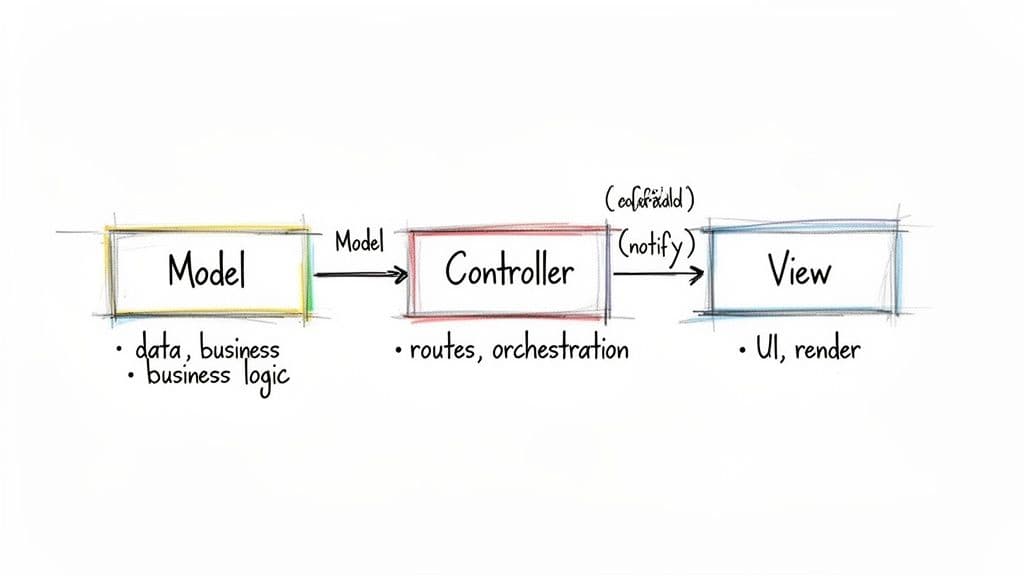
A component diagram is an architectural blueprint. It shows static relationships between Model, View, and Controller and helps teams agree on boundaries and responsibilities. It doesn’t show step-by-step data flow — that’s the job of sequence diagrams.
Defining Responsibilities
- Model: Single source of truth; handles validation, persistence, and business rules.
- View: Pure presentation; renders state but contains no business logic.
- Controller: Orchestrates flow; receives input, calls the Model, and selects the View.
This strict division reduces defects, improves testing, and lowers maintenance costs for teams3. Clear diagrams also improve collaboration and reduce integration friction, which matters for hiring and regional planning2.
For more diagrams and examples, browse our 软件架构图集.
Tracing User Actions with an MVC Sequence Diagram
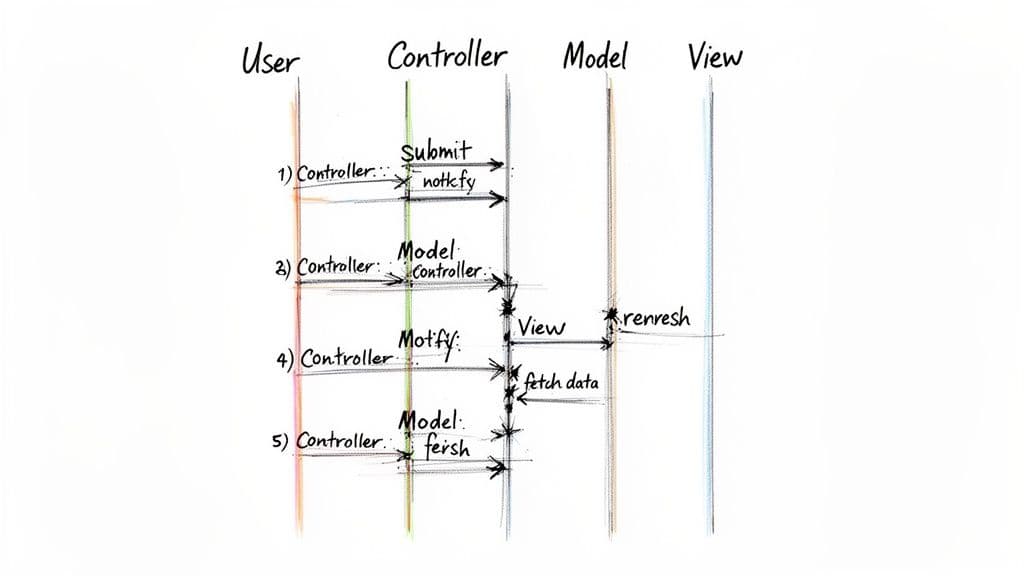
If a component diagram is a blueprint, a sequence diagram is the movie. It shows conversations as a user’s request travels through the system — invaluable when debugging.
Typical Lifecycle of a User Request
- User interaction captured: the user clicks “Submit.” The Controller receives the event and prepares it for processing.
- Controller updates the Model: the Controller calls the Model, e.g.,
model.updateUserData(formData). - Model manages state: the Model validates and persists the data, then updates its state.
- Controller selects the View: based on the Model’s result, the Controller chooses which View to render.
- View renders new state: the View reads the updated state (server-side rendering) or the frontend store renders the UI.
Predictable one-way data flow makes debugging more straightforward and avoids subtle bugs from tangled communication.
How MVC Maps to Modern Web Frameworks
MVC principles remain useful across modern stacks even when implementations differ.
Mapping Examples
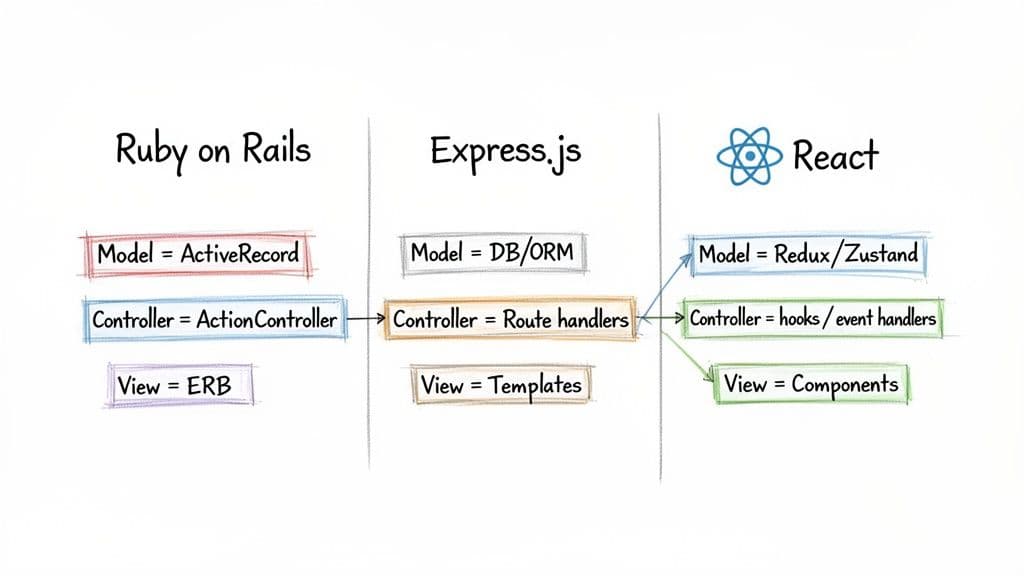
| MVC Component | Ruby on Rails | Node.js (Express) | React + State Management |
|---|---|---|---|
| Model | ActiveRecord — data, rules, DB access. | Mongoose/Sequelize models. | State libraries like Redux or Zustand. |
| View | ERB/Haml templates render HTML. | Templating engines (EJS, Pug). | React components render UI. |
| Controller | ActionController routes requests and coordinates. | Route handlers orchestrate requests/responses. | Event handlers and hooks dispatch actions and coordinate state. |
Rails maps closely to classical MVC. Express is minimal and requires discipline to keep MVC structure. React is primarily the View; state libraries act as Models and hooks or event handlers behave like Controllers.
Using clear diagrams to show these boundaries reduces maintenance costs in legacy systems and helps teams stay reliable and efficient3.
Common MVC Implementation Mistakes and How to Fix Them
Even with diagrams, teams drift. Two common anti-patterns are the Fat Controller and the Fat Model.
Fat Controller
When controllers accumulate business logic, validation, and database calls, they become hard to test and fragile to change.
Fat Model
When models take on presentation concerns or view-specific formatting, they become less reusable and harder to reason about.
Keep single responsibility in mind: controllers orchestrate, models manage data, views display. Deviations confuse developers and AI coding tools alike.
Refactoring Bloated Components
Extract business logic into services or domain objects. In React/TypeScript apps, move logic into custom hooks or service modules so components remain focused on rendering.
Anti-pattern example (simplified):
// Anti-Pattern: Fat Component
const UserProfile = ({ userId }) => {
  const [user, setUser] = useState(null);

  const handleSave = async (data) => {
    // Business logic mixed in the component
    if (data.name.length < 3) {
      console.error("Name is too short!");
      return;
    }
    await fetch(`/api/users/${userId}`, { method: 'POST', body: JSON.stringify(data) });
  };

  // ... render logic
};
Cleaner approach: move validation and API calls into a separate service so the component focuses on UI.
Frequently Asked Questions (Concise)
Q: When should I use a component diagram vs. a sequence diagram?
A: Use a component diagram to define static responsibilities and boundaries; use a sequence diagram to trace runtime interactions and debug flows.
Q: My controller is huge — what’s the first refactor step?
A: Move business logic to a service layer or domain class and keep controllers focused on request/response orchestration.
Q: How do I adapt MVC in a modern SPA like React?
A: Treat state managers (Redux, Zustand, Context) as Models, React components as Views, and hooks/event handlers as Controllers. Separate presentation from business logic.
Bottom Q&A — Quick Answers for Practitioners
Q: What’s the main benefit of an MVC diagram?
A: Clarity — it enforces clear boundaries so teams can work independently and integrate reliably.
Q: Which anti-patterns should I watch for?
A: Fat Controller and Fat Model; both lead to brittle, hard-to-test code.
Q: How do diagrams help teams with AI-assisted development?
A: Clear boundaries and single responsibilities make code easier for AI tools to analyze and generate reliable suggestions.
Three Concise Q&A (实用速答)
Q: Should I diagram tiny utilities?
A: Only if they affect cross-team boundaries or data contracts. Focus diagrams on modules that impact testing, deployment, or ownership.
Q: How often should diagrams be updated?
A: Update diagrams when interfaces or responsibilities change — treat them like code: small, frequent updates keep diagrams useful.
Q: What’s the quickest win to reduce a fat controller?
A: Extract validation and external calls into a service function, then write unit tests for that service.
1.
[https://www.bls.gov/ooh/computer-and-information-technology/software-developers.htm] U.S. Bureau of Labor Statistics, “Software Developers,” employment projections and demand for software developers.
2.
[https://www.labormarketinfo.edd.ca.gov/] California Employment Development Department, regional labor-market information and trends.
3.
[https://cloud.google.com/devops/state-of-devops] Google Cloud, “State of DevOps” — research on modular architectures, team performance, and defect rates.
4.
[https://www.nist.gov/publications/economic-impact-inadequate-infrastructure-software-testing-2002] National Institute of Standards and Technology, "The Economic Impacts of Inadequate Infrastructure for Software Testing," report on costs of brittle architectures.
🙋🏻♂️
AI编写代码。您让它持久。
在AI加速的时代,干净代码不仅仅是好的实践 — 它是能够扩展的系统与在自己的重量下崩溃的代码库之间的区别。