Pair programming brings two developers together at one workstation to write, review, and refine code in real time. One developer—the driver—types and implements the immediate solution while the other—the navigator—reviews each change, calls out edge cases, and keeps the long-term design in view. This guide covers pairing models, measurable business benefits, common pitfalls, and a step-by-step pilot plan to get started.
November 8, 2025 (8mo ago) — last updated May 1, 2026 (2mo ago)
Pair Programming Guide: Models, Benefits, Pilot Plan
Learn pair programming models, benefits, and a step-by-step pilot plan to improve code quality, speed onboarding, and measure ROI.
← Back to blog
페어 프로그래밍 실전 가이드
Summary: What is pair programming: practical examples, benefits, models, and steps to implement this collaborative coding technique.
Introduction
Pair programming brings two developers together at one workstation to write, review, and refine code in real time. One developer—the driver—types and implements the immediate solution while the other—the navigator—reviews each change, calls out edge cases, and keeps the long-term design in view. This guide covers pairing models, measurable business benefits, common pitfalls, and a step-by-step pilot plan to get started.
Pair programming is an agile practice where two programmers collaborate at a single workstation to replace slow handoffs with continuous review and shared ownership. The driver focuses on implementation details while the navigator watches for mistakes, suggests alternatives, and thinks strategically about architecture.
Core Concept: How Pairing Works

Roles are fluid and pairs swap regularly so both developers stay engaged and learn. The driver handles typing, running tests, and interacting with the editor. The navigator observes, reviews, and anticipates architectural trade-offs.
Key navigator responsibilities:
- Observe and review code in real time.
- Think strategically about architecture and edge cases.
- Anticipate complexity and keep the task aligned with goals.
| Element | Description |
|---|---|
| Driver | Hands-on keyboard focused on implementation details. |
| Navigator | Observes, reviews, and guides the larger design and direction. |
| Shared Workspace | One screen/keyboard (physically or virtually) so both developers share context. |
| Role Swapping | Regularly switch roles to share ownership and maintain engagement. |
| Continuous Dialogue | Ongoing communication that improves design and knowledge transfer. |
This continuous feedback loop builds quality into the process and supports long-term maintainability.
Built-in Quality Assurance
Pairing reduces defects by catching mistakes as they happen and forcing design discussions early in development, usually with a modest upfront time cost and a meaningful reduction in post-release bugs1.
Pair Programming Models
Pair programming is flexible. Choose a model that fits the task, team, and goals.
Driver and Navigator
The classic model: one developer (Driver) codes while the other (Navigator) steers. Swap roles often—every 25–30 minutes is a common cadence—to keep both people engaged and learning.
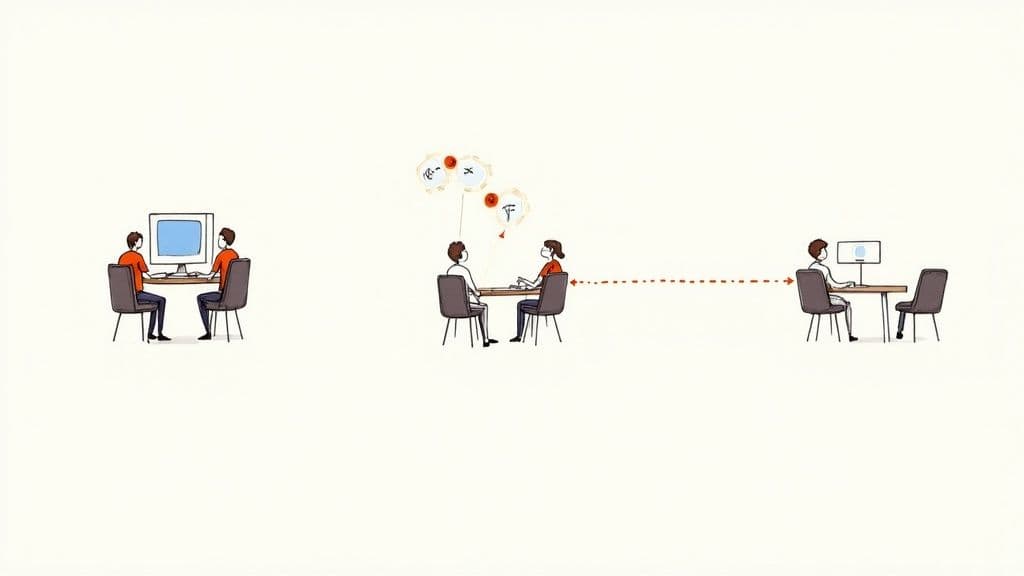
This setup builds shared context and encourages immediate problem solving.
Ping-Pong (TDD-Focused)
Ping-Pong enforces test-first discipline:
- Developer A writes a failing test.
- Developer B writes just enough code to pass the test.
- Developer B writes the next failing test.
- Control pings back and forth as the feature grows.
This keeps both partners actively contributing and reinforces TDD habits.
Remote and Distributed Pairing
Remote pairing needs intentional communication and the right tools. Use screen sharing, collaborative IDE features, and good audio to make remote pairing effective. Key tools include screen sharing and remote control (Zoom, Slack Huddles) and collaborative IDE features such as Visual Studio Live Share3.
Business Benefits
Pair programming is an investment that often pays off in fewer defects, faster onboarding, and reduced knowledge silos. Two sets of eyes on each change mean many mistakes are eliminated before code lands in the repository.
Faster Onboarding and Knowledge Sharing
Pairing accelerates ramp-up for new hires by exposing them to architecture, coding conventions, and team norms through real work. Benefits include:
- Faster time-to-contribution.
- Better cultural integration and alignment with team practices.
- Reduced single points of failure and broader team expertise.
Trade-offs and Costs
Pairing can increase time on an individual task moderately up front, but teams typically recoup that through fewer bugs, less rework, and faster overall delivery cycles1.
Measuring Success
Establish a baseline before you start and track the same metrics after pairing becomes routine.
Quantitative Metrics
Track metrics that reflect code health and delivery efficiency:
- Defect density: bugs per 1,000 lines of production code.
- Cycle time: time from ticket start to completion.
- Rework volume: frequency and size of post-release fixes.
- Onboarding time: time-to-first-meaningful-contribution.
- Knowledge silos: reliance on single experts.
A before-and-after comparison is persuasive for leadership.
| Metric | How to Measure | Positive Outcome |
|---|---|---|
| Defect Density | Bugs per 1,000 lines in production. | Decrease in production issues. |
| Cycle Time | Time from work start to done. | Shorter overall cycle time. |
| Rework Volume | Amount of code revisited after release. | Reduced rework and refactoring. |
| Onboarding Time | Time-to-first-meaningful-contribution. | Faster ramp-up for new hires. |
| Knowledge Silos | Team reliance on single experts. | Broader expertise across the team. |
Qualitative Indicators
Include human signals: onboarding speed (earlier first commits), improved morale in retrospectives, and wider confidence across systems.
Getting Started: A Practical Pilot
Start with a small pilot. Choose a low-risk, well-scoped ticket—like a small bug fix or non-critical feature—so pairs can learn the rhythm without heavy pressure.
Pilot checklist:
- Select a pair: match developers who are open to trying pairing; pairing a senior with a motivated junior supports mentorship.
- Define the task: choose a ticket that can be finished in a session or two.
- Set ground rules: agree on role swap cadence (every 25–30 minutes), break schedules, and how to resolve disagreements.
- Gather feedback: run a short retrospective to capture what worked and what to adjust.
Establishing Rotation
Rotate pairings regularly to spread knowledge across the team and avoid new silos.
Introducing AI as a Third Collaborator
AI assistants like GitHub Copilot and Cursor can suggest boilerplate and alternatives while the human pair focuses on design and trade-offs. Use AI to speed routine work and keep the pair’s attention on architecture and quality—AI is a productivity amplifier when used thoughtfully2.
Common Pitfalls and How to Avoid Them
Pair programming is a skill that requires practice and agreed norms.
Expert–Novice Imbalance
If the senior dominates, the junior becomes a spectator. Use strict timers for role swaps and encourage the senior to mentor by asking questions rather than dictating solutions.
Personality Clashes
Different communication styles can cause friction. Create psychological safety: allow short silent thinking pauses, give constructive feedback, and focus critiques on code and trade-offs, not on people.
Burnout and Fatigue
Pairing requires focus. Schedule regular breaks—use Pomodoro-style cycles (25 minutes focused, 5 minutes break) and longer breaks after several cycles—to avoid exhaustion.
Frequently Asked Questions
Are we really paying two developers to do one person’s job?
Pairing combines coding, review, and design thinking into one focused session. Continuous review reduces downstream defects and rework, which typically offsets the modest upfront cost1.
What happens when a pair can’t agree?
Disagreements are opportunities. Time-box an approach for 15–20 minutes and, if unresolved, escalate to a tech lead for a tie-breaker.
Should a senior pair with a junior?
Yes. It’s an efficient way to mentor and transfer knowledge. Seniors should guide and ask questions; juniors should stay curious and contribute actively.
At Clean Code Guy, we help teams implement practices like pair programming to ship maintainable, scalable software. If you’re ready to reduce bugs and accelerate delivery, explore our services or read more on our blog.
Concise Q&A — Common Pain Points
Q: Which tasks are best for pairing?
A: Complex features, critical bug fixes, onboarding work, and architecture decisions benefit most from immediate review and shared knowledge.
Q: How long should a pairing session be?
A: Keep sessions focused: 60–120 minutes with role swaps every 25–30 minutes and short breaks to maintain concentration.
Q: How do we show ROI to leadership?
A: Establish a baseline, then track defect density, cycle time, and rework volume before and after the pilot; combine those numbers with qualitative retrospective feedback.
1.
Aggregated pair programming statistics and study summaries report meaningful defect reductions with a modest upfront time increase. See an overview: https://www.index.dev/blog/ai-pair-programming-statistics
2.
Survey results indicating talent constraints and adoption trends among Canadian companies and broader AI adoption signals: https://betakit.com/most-canadian-companies-are-walking-the-ai-adoption-race-report/
3.
Microsoft Visual Studio Live Share enables real-time collaborative editing and debugging across developer environments: https://visualstudio.microsoft.com/services/live-share/
4.
Agile Alliance overview of pair programming and practical guidance: https://www.agilealliance.org/glossary/pair-programming/
🙋🏻♂️
AI가 코드를 작성합니다.당신이 그것을 지속시킵니다.
AI 가속 시대에 클린 코드는 단순히 좋은 관행이 아닙니다 — 확장되는 시스템과 자체 무게로 붕괴되는 코드베이스의 차이입니다.