The Red‑Green‑Refactor TDD cycle turns uncertainty into small, safe steps: write a failing test, add the simplest code to pass it, then refactor. Repeat to produce reliable design, faster debugging, and measurable quality gains for teams.12
November 29, 2025 (11mo ago) — last updated September 12, 2026 (2mo ago)
Red‑Green‑Refactor TDD Guide
Learn the Red‑Green‑Refactor TDD cycle with examples, workflow, and team tactics to write cleaner, maintainable code and reduce defects.
← Back to blog
Red‑Green‑Refactor TDD Guide
Summary: Master the Red‑Green‑Refactor TDD cycle with practical workflow, examples, and business benefits to build cleaner, maintainable code.
Introduction
The Red‑Green‑Refactor Test‑Driven Development (TDD) cycle is a focused workflow that turns uncertainty into small, safe steps. Start by writing a failing test (Red), implement the simplest code to make it pass (Green), then clean up the implementation (Refactor). Repeating this loop produces reliable design, faster debugging, and measurable quality gains for teams of any size.12
The rhythm of test‑driven development
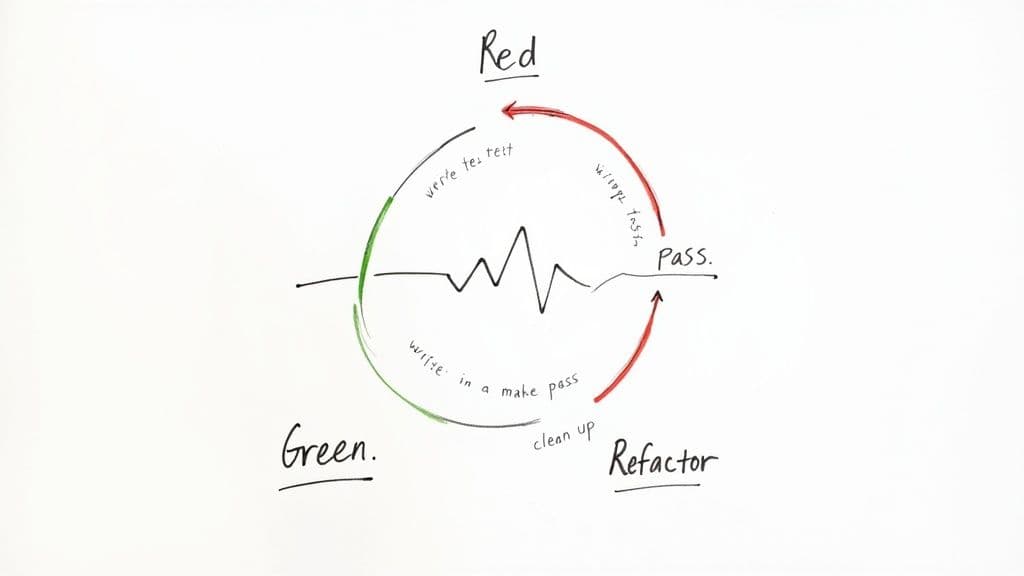
TDD is more than testing; it’s a design practice. Writing the test first forces you to think about how the code will be used before implementation, encouraging small, deliberate progress. The Red‑Green‑Refactor cycle becomes the heartbeat of predictable development and often improves delivery throughput and code maintainability when adopted consistently.2
Understanding the three stages
Each stage has a clear purpose and keeps work small and verifiable:
- Red phase (failing test): Write a single automated test that represents the smallest useful behaviour. The failure proves the test is valid.
- Green phase (make it pass): Implement the minimal code to satisfy the test. Favor simplicity to avoid over‑engineering.
- Refactor phase (improve the code): With tests passing, clean up names, remove duplication, and improve structure without changing behaviour.
The refactor step is required. Skipping it accumulates technical debt and slows future changes.
Red‑Green‑Refactor at a glance
| Phase | Purpose | Developer goal |
|---|---|---|
| Red | Define the requirement and validate the test | Write one small test that fails |
| Green | Satisfy the requirement | Add the minimum code to make the test pass |
| Refactor | Improve internal quality | Remove duplication and clarify intent |
Adopting this cadence helps teams move predictably and confidently. Empirical studies link disciplined TDD practices to measurable quality improvements and reduced debugging effort.2
Walking through the TDD cycle in action
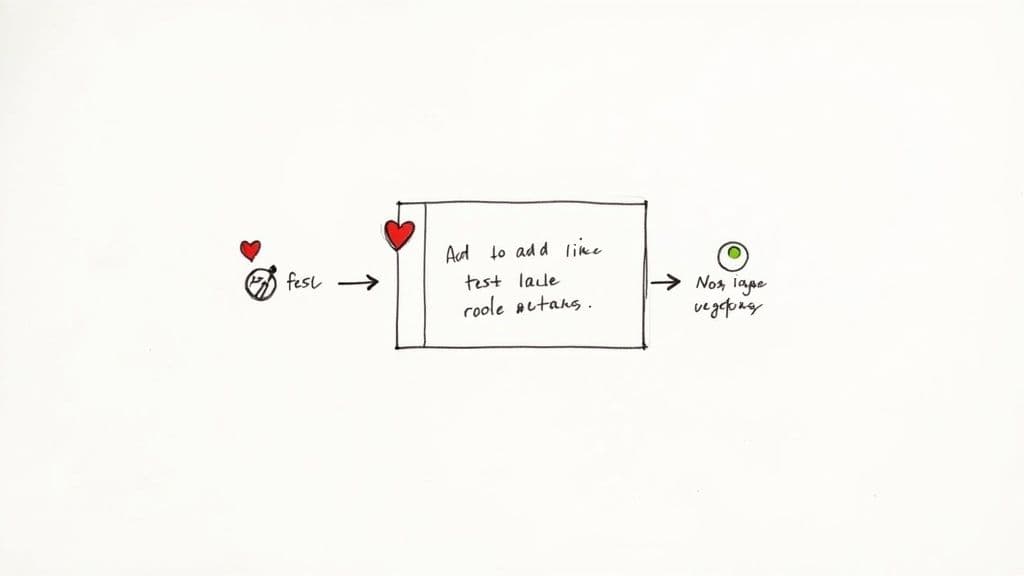
Below is a practical UI example: a LikeButton component using TypeScript, React, and Jest. This demonstrates how TDD guides design while keeping behaviour predictable.
Red phase: define the first requirement
The simplest requirement is: the component renders without crashing and displays “Like.” Write the test before the component.
// LikeButton.test.tsx
import React from "react";
import { render, screen } from "@testing-library/react";
import LikeButton from "./LikeButton";

describe("LikeButton", () => {
  it("renders a button with the initial text “Like”", () => {
    render(<LikeButton />);
    const likeButton = screen.getByRole("button", { name: /like/i });
    expect(likeButton).toBeInTheDocument();
  });
});
Running the test fails because the component doesn’t exist yet. This is the Red phase—exactly what you want.
Green phase: just enough to pass
Create the minimal component to satisfy the test.
// LikeButton.tsx
import React from "react";

const LikeButton = () => {
  return <button>Like</button>;
};

export default LikeButton;
Run the tests again and they pass. Mission accomplished for this cycle.
Refactor phase: polish the implementation
Now clean up the code. Add types and establish a pattern for future expansion.
// LikeButton.tsx (refactored)
import React, { FC } from "react";

type LikeButtonProps = {};

const LikeButton: FC<LikeButtonProps> = () => {
  return <button>Like</button>;
};

export default LikeButton;
Tests still pass. The safety net lets you improve the code with confidence.
Iteration example: clicking the button
New requirement: clicking the button changes its text to “Liked” and disables it to prevent multiple clicks. Start with a failing test.
// LikeButton.test.tsx
it('changes text to “Liked” and becomes disabled when clicked', () => {
  render(<LikeButton />);
  const likeButton = screen.getByRole("button", { name: /like/i });
  fireEvent.click(likeButton);
  expect(likeButton).toHaveTextContent("Liked");
  expect(likeButton).toBeDisabled();
});
Implement the minimal behaviour to pass the test.
// LikeButton.tsx
import React, { FC, useState } from "react";

type LikeButtonProps = {};

const LikeButton: FC<LikeButtonProps> = () => {
  const [liked, setLiked] = useState(false);
  const handleClick = () => setLiked(true);
  return (
    <button onClick={handleClick} disabled={liked}>
      {liked ? "Liked" : "Like"}
    </button>
  );
};

export default LikeButton;
Run the suite—green. Repeat: one small requirement at a time, protected by tests.
The business case for code quality
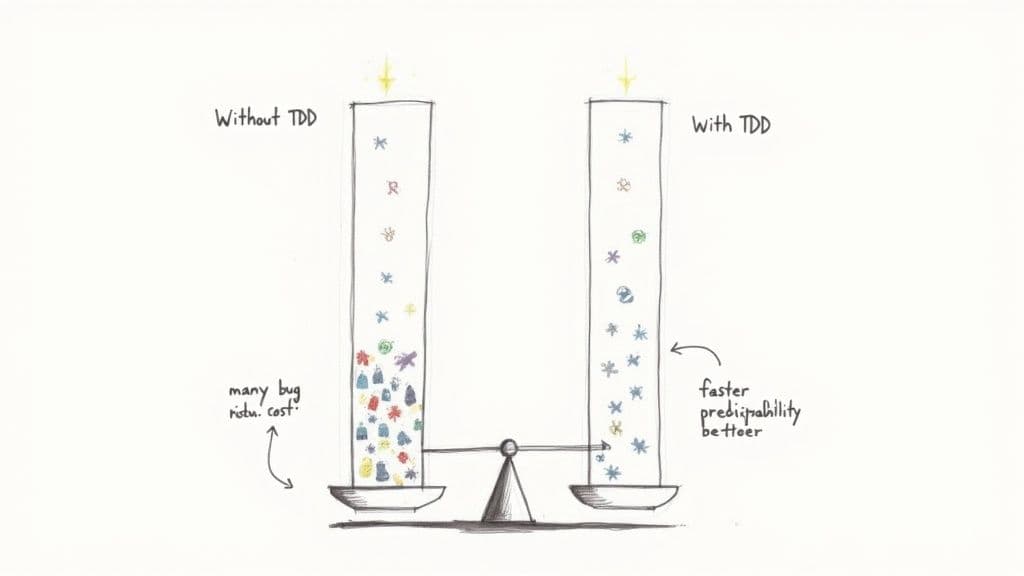
TDD’s engineering benefits translate into business value. Fewer defects in production means lower support costs, less customer churn, and a stronger reputation. When defects are caught early they’re cheaper to fix, and teams can spend more time building new features rather than firefighting.2
Reducing post‑release defects and maintenance costs
By writing tests before the code, you only add production code that is required to satisfy a test. This creates a robust safety net and reduces unexpected regressions. Several studies document lower defect rates and less time spent on rework for teams that consistently apply TDD and automated testing practices.2
A focus on quality upfront lowers the total cost of ownership because you avoid the compounding cost of technical debt over time.
Accelerating onboarding and improving predictability
A comprehensive test suite serves as executable documentation. New developers can run tests to learn the system’s expected behaviour instead of relying on outdated wikis. This shortens ramp time and reduces the burden on senior engineers. Consistent TDD practices also improve predictability: small, tested cycles make estimates and progress tracking more reliable for planning and stakeholder communication.3
Common TDD pitfalls and how to avoid them
TDD is simple to describe but subtle to master. The following anti‑patterns commonly undermine TDD’s benefits.
Integration tests in unit test clothing
Problem: A test exercises many moving parts—the component, services, API clients, and possibly a database. The test becomes slow, brittle, and noisy.
Fix: Test a single unit in isolation. Use mocks, stubs, and fakes for external dependencies. If you need integration coverage, write dedicated integration tests that run separately.
A true unit test shouldn’t touch the network, filesystem, or a real database. Its speed and reliability let you refactor fearlessly.4
Testing implementation instead of behaviour
Problem: Tests assert internal details rather than public behaviour. Tests break when you refactor internals, even though behaviour remains correct.
Fix: Test the public API and observable effects. Ask: given this input, what is the expected output? Behavioural tests resist unrelated refactors and remain valuable documentation.
Skipping the refactor step
Problem: Developers rush to the next feature after getting tests to pass, leaving messy implementations behind.
Fix: Treat refactor as a required step. With tests passing, small cleanups are safe and compound into a codebase that’s easy to change.
Integrating TDD into your team and legacy code
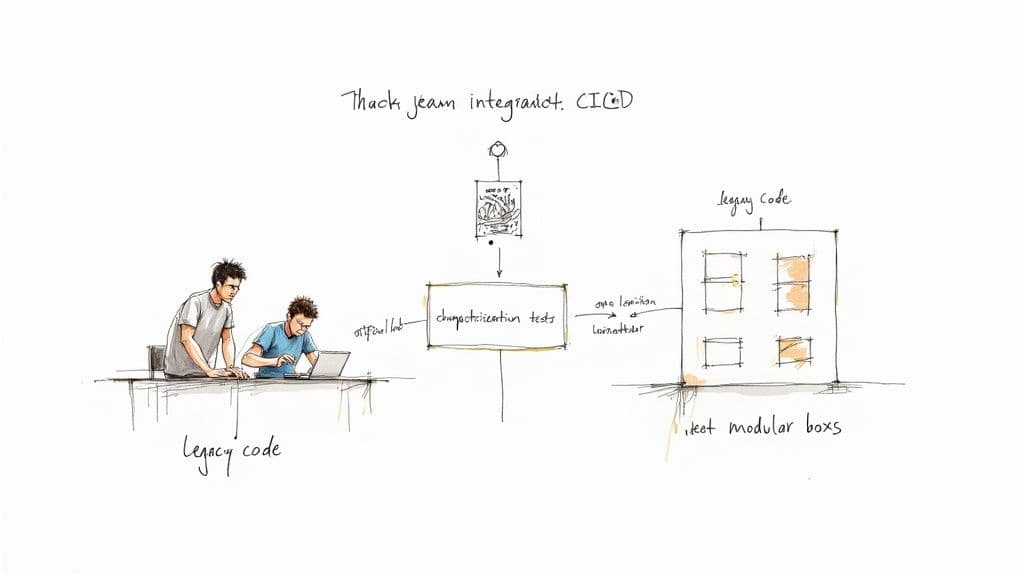
Adopting TDD is a cultural change as much as a technical one. Encourage hands‑on learning, make tests part of the team’s Definition of Done, and celebrate test‑driven wins.
Championing TDD within the team
Practical ways to build momentum:
- Pair programming, where an experienced developer guides a teammate through the Red‑Green‑Refactor cycle.
- Mob programming for tougher problems, rotating who drives to spread knowledge.
- Lunch‑and‑learn sessions that demonstrate real examples of TDD in your codebase.
Start small and let early test catches become proof points for the team.
Taming legacy code with characterization tests
When code is untested and risky to change, write characterization tests to document current behaviour. These tests let you refactor or add features with confidence by first asserting how the system behaves today.
Automating quality with CI/CD pipelines
Run the test suite on every commit in CI. This provides immediate feedback, enforces quality gates, and makes passing tests a required step before merging. Automation keeps the test feedback loop fast and dependable. See related guides on continuous integration and refactoring for practical CI examples: /ci-cd-best-practices and /refactoring-guides.
Your top TDD questions, answered
Does TDD replace other kinds of testing?
No. TDD focuses on unit tests as a design tool, but you still need integration tests and end‑to‑end tests to validate component interactions and full user flows.
How do I use TDD with databases or external APIs?
Isolate code from external dependencies by using mocks, stubs, or fakes. Test your logic in a bubble and reserve real integration tests for a separate test suite.
Is it worth testing simple UI components?
Yes, when you test behaviour, not implementation. Verify what users see and do, such as whether a button renders the right label or triggers the correct action when clicked.
Concise Q&A — common user questions
Q: How soon will my team see value from TDD?
A: Small, consistent wins often appear within a few sprints as you see fewer regression bugs and faster debugging cycles.
Q: What’s the smallest step to start TDD?
A: Require a failing test for one new feature or noncritical bug, then enforce the refactor step before merging.
Q: How do I convince stakeholders to invest in tests?
A: Show long‑term savings: fewer incidents, lower maintenance costs, and faster delivery, reinforced by case studies and industry reports.23
1.
Digital.ai, “State of Agile Report,” Digital.ai, https://digital.ai/resource-center/state-of-agile-report
2.
Victor R. Basili et al., “An Empirical Study on the Effects of Test-Driven Development,” https://link.springer.com/article/10.1007/s10664-015-9378-2
3.
Google Cloud, “State of DevOps Report,” https://cloud.google.com/devops/state-of-devops
4.
Martin Fowler, “TestDrivenDevelopment,” https://martinfowler.com/bliki/TestDrivenDevelopment.html
🙋🏻♂️
AI가 코드를 작성합니다.당신이 그것을 지속시킵니다.
AI 가속 시대에 클린 코드는 단순히 좋은 관행이 아닙니다 — 확장되는 시스템과 자체 무게로 붕괴되는 코드베이스의 차이입니다.