La programación en pareja es una práctica colaborativa en la que dos desarrolladores trabajan en la misma estación para escribir, revisar y mejorar código en tiempo real. Un desarrollador implementa la tarea mientras el otro vigila la arquitectura y los casos límite, lo que fomenta mejor calidad, transferencia de conocimiento y menos retrabajo. Esta guía cubre modelos, beneficios medibles, métricas y pasos prácticos para lanzar un piloto exitoso.
November 8, 2025 (8mo ago) — last updated May 28, 2026 (1mo ago)
Programación en pareja: guía práctica para equipos
Guía práctica de programación en pareja: modelos, beneficios medibles, métricas y pasos accionables para implantar pairing y mejorar la calidad del código.
← Back to blog
Programación en pareja: guía práctica
Resumen: Pair programming: practical examples, benefits, models and actionable steps to implement collaborative coding and improve code quality.
Introducción
La programación en pareja es una práctica colaborativa en la que dos desarrolladores trabajan juntos en una misma estación para escribir, revisar y mejorar código en tiempo real. Un desarrollador, el conductor, implementa la tarea en el teclado; el otro, el navegador, vigila errores, plantea casos límite y guía el enfoque general1. Esta guía explica modelos habituales, beneficios medibles, métricas para evaluar impacto y pasos prácticos para poner en marcha un piloto con resultados visibles.
En esencia, la programación en pareja convierte el desarrollo en una conversación estructurada que combina revisión continua, transferencia de conocimiento y resolución inmediata de problemas. En lugar de codificar por separado y dejar la revisión para más tarde, dos personas se mantienen alineadas desde el inicio del trabajo.
Desglosando el concepto central
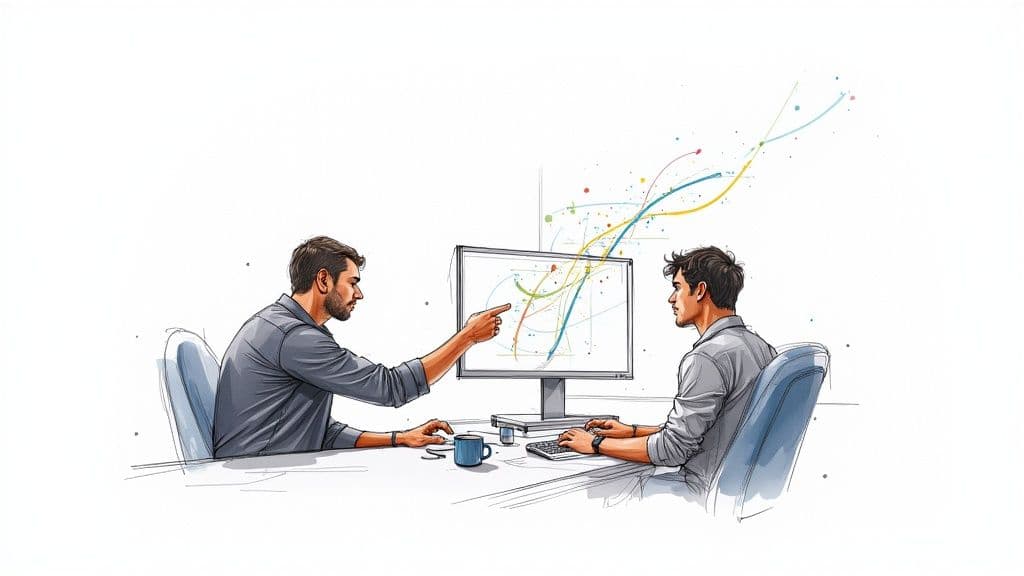
Piensa en un equipo de rally: el conductor se ocupa de la maniobra inmediata mientras el copiloto navega la ruta. La programación en pareja crea un bucle de retroalimentación continuo: codificar, revisar y discutir, de modo que el diseño y la calidad se consideran a medida que se escribe el código.
Cómo funciona en la práctica
Los roles deben ser fluidos y rotar con regularidad para mantener el compromiso de ambos. El conductor se ocupa del trabajo táctico: escribir, ejecutar pruebas e interactuar con el editor. El navegador supervisa errores, piensa en la arquitectura y anticipa complejidad.
Responsabilidades clave del navegador:
- Observar y revisar el código en tiempo real
- Pensar estratégicamente sobre arquitectura y casos límite
- Anticipar complejidad y mantener el trabajo alineado con los objetivos
| Elemento | Descripción |
|---|---|
| Conductor | Al teclado, centrado en la implementación. |
| Navegador | Observa, revisa y orienta el diseño. |
| Espacio compartido | Una sola pantalla/teclado (físico o virtual) para mantener contexto. |
| Rotación de roles | Cambio regular de funciones para compartir responsabilidad. |
| Diálogo continuo | Comunicación constante que mejora diseño y transferencia de conocimiento. |
Ese bucle continuo es la clave: no son solo dos personas escribiendo código, sino revisión en tiempo real y propiedad compartida que favorecen sistemas robustos y mantenibles.
Aseguramiento de calidad integrado
La pareja suele producir código más limpio desde el principio, al detectar errores sobre la marcha y discutir compensaciones inmediatamente. Estudios y análisis agregados muestran reducciones significativas en defectos, con un ligero aumento de tiempo al inicio del desarrollo2. Invertir en colaboración temprana ahorra tiempo y dinero evitando trabajo de corrección posterior.
Modelos habituales de programación en pareja
La programación en pareja es flexible: escoge el modelo que mejor se ajuste a la tarea, el equipo y los objetivos.
Conductor y navegador
El modelo clásico: uno codifica mientras el otro dirige la estrategia. Cambia roles con frecuencia —cada 25–30 minutos es una cadencia común— para mantener el aprendizaje y la implicación de ambos.
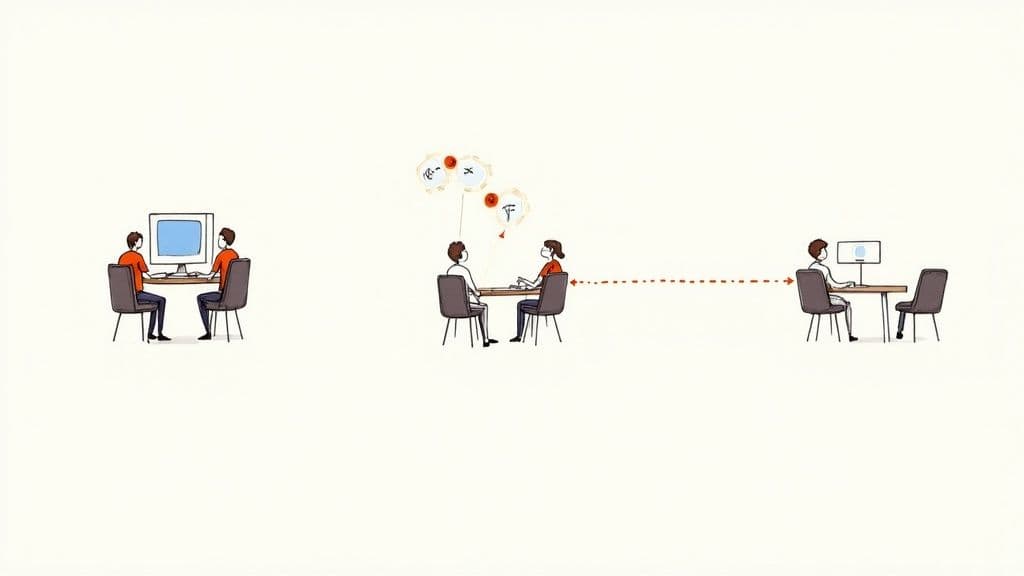
Este enfoque crea contexto compartido y fomenta la resolución inmediata de problemas.
Ping-pong (centrado en TDD)
En el modelo Ping-pong la pareja alterna entre escribir pruebas y código:
- El desarrollador A escribe una prueba que falla.
- El desarrollador B escribe el código mínimo para pasar la prueba.
- El desarrollador B escribe la siguiente prueba que falla.
- El control va y viene mientras la funcionalidad crece.
Este patrón refuerza hábitos de TDD y mantiene a ambos participantes activos.
Pareado remoto y distribuido
El trabajo remoto exige comunicación intencional y buenas herramientas. Compartir pantalla y editores colaborativos en tiempo real permiten pairing efectivo. Usa audio de calidad y minimiza ruido de fondo para mantener concentración3.
Herramientas y requisitos clave:
- Compartir pantalla y control remoto (Zoom, Slack Huddles)
- Funciones colaborativas en el IDE, por ejemplo Visual Studio Live Share3
- Audio de alta calidad y espacios silenciosos
Con la configuración adecuada, los equipos colaboran eficazmente desde cualquier lugar.
Beneficios reales para el negocio
La programación en pareja es una inversión que suele traducirse en menos defectos, incorporación más rápida y menos silos de conocimiento. Tener dos pares de ojos sobre cada cambio elimina muchos errores antes de que el código llegue al repositorio.
Incorporación más rápida y transferencia de conocimiento
El pairing acelera la curva de aprendizaje de nuevos miembros. En lugar de depender solo de documentación estática, los nuevos absorben arquitectura, convenciones y contexto trabajando en tareas reales.
Beneficios:
- Aprendizaje acelerado y contribuciones significativas antes
- Integración cultural más rápida y alineamiento con normas del equipo
- Menos silos de conocimiento y puntos únicos de falla
La programación en pareja fomenta la propiedad compartida y hace al equipo más resiliente ante ausencias.
Costes y compensaciones
El pairing puede aumentar ligeramente el tiempo en una tarea individual, pero ese coste inicial suele compensarse con menos bugs y menos retrabajo posteriormente2. Además requiere que el equipo desarrolle hábitos de comunicación y respete estilos de trabajo distintos.
Cómo medir el éxito de la programación en pareja
Para conseguir apoyo ejecutivo, mide el impacto. Establece una línea base antes de empezar y registra las mismas métricas después de la adopción.
Métricas cuantitativas
Sigue métricas relacionadas con la salud del código y la eficiencia de entrega:
- Densidad de defectos: errores por cada 1,000 líneas en producción. Espera menos incidencias con pairing constante.
- Tiempo de ciclo: desde el inicio de la tarea hasta su finalización. El pairing puede reducir tiempos al eliminar bucles de revisión asincrónicos.
- Volumen de retrabajo: frecuencia y tamaño de arreglos post-lanzamiento. Menos retrabajo indica soluciones más sólidas desde el primer pase.
Una comparación antes/después resulta persuasiva frente a la dirección.
| Métrica | Cómo medir | Resultado positivo |
|---|---|---|
| Densidad de defectos | Errores por 1,000 líneas en producción. | Disminución de incidencias en producción. |
| Tiempo de ciclo | Tiempo desde inicio hasta done. | Reducción del tiempo total. |
| Volumen de retrabajo | Código revisitado tras release. | Menos retrabajo y refactorización. |
| Tiempo de incorporación | Tiempo hasta primera contribución significativa. | Ramp-up más rápido. |
| Silos de conocimiento | Dependencia de expertos individuales. | Mayor dispersión del conocimiento. |
Indicadores cualitativos
Señales cualitativas también importan:
- Velocidad de incorporación: primeros commits más tempranos
- Moral del equipo: mejoras en encuestas o en las retrospectivas
- Transferencia de conocimiento: más personas capaces de trabajar en distintos subsistemas
Combina datos y observaciones humanas para tener la foto completa.
Guía práctica para empezar
Comienza con un piloto pequeño. Elige un ticket de bajo riesgo y bien acotado —un bug sencillo o una característica no crítica— para que las personas aprendan el ritmo sin presión.
Checklist del piloto:
- Selecciona la pareja: empareja a quienes están dispuestos; un senior con un junior funciona bien para mentoría.
- Define la tarea: elige un ticket que pueda cerrarse en una o dos sesiones.
- Establece reglas: acuerda la cadencia de swap (25–30 minutos), horarios de descanso y cómo resolver desacuerdos.
- Recoge feedback: realiza una retrospectiva breve para ajustar el proceso.
Establecer rotación
La rotación extiende el conocimiento. Evita emparejamientos fijos para no crear nuevos silos. Mezcla las parejas con regularidad para repartir la experiencia.
Introducir la IA como tercer colaborador
Asistentes de IA como GitHub Copilot o Cursor pueden acelerar tareas repetitivas y proponer enfoques alternativos. Usa IA para código rutinario mientras la pareja se enfoca en diseño y compensaciones. La adopción de IA en procesos de desarrollo está creciendo y puede complementar el pairing cuando se usa con criterio4.
Trampas comunes y cómo evitarlas
La programación en pareja es una habilidad; conoce los errores habituales y actúa antes de que se vuelvan costumbre.
Desequilibrio experto–novato
Si el senior domina, el junior se convierte en espectador. Usa temporizadores estrictos para los swaps y anima al senior a preguntar y guiar, no a imponer soluciones.
Choques de personalidad
Diferentes estilos de comunicación generan fricción. Crea seguridad psicológica: acuerda pausas de reflexión breves, ofrece feedback constructivo y céntrate en el código, no en la persona.
Agotamiento y fatiga
Pairing exige concentración. Programa descansos regulares —ciclos Pomodoro (25 minutos enfocados, 5 de descanso) y pausas más largas tras varios ciclos— para evitar desgaste.
Preguntas frecuentes (respuestas breves)
¿Estamos pagando a dos desarrolladores para un trabajo?
No exactamente. La pareja combina codificación, revisión y diseño en una sola sesión, reduciendo defectos y retrabajo posteriores, lo que suele compensar el coste inicial2.
¿Qué pasa si no se ponen de acuerdo?
Las discrepancias son útiles. Discute opciones, time-boxea una alternativa (15–20 minutos) y, si hace falta, escala a un tech lead para desempatar.
¿Debe un senior emparejarse con un junior?
Sí. Es una forma eficaz de mentoría y transferencia de conocimiento. El senior debe guiar con preguntas; el junior debe participar activamente.
En Clean Code Guy ayudamos a equipos a implantar prácticas como la programación en pareja para entregar software mantenible y escalable. Si quieres reducir bugs y acelerar entregas, explora nuestros servicios o lee más en nuestro blog.
Q&A rápidas
Q: ¿Qué es la programación en pareja en una frase?
A: Dos desarrolladores colaboran en tiempo real en una misma estación para escribir y revisar código con el fin de mejorar calidad y compartir conocimiento.
Q: ¿Cómo inicio un piloto de pairing?
A: Elige un ticket pequeño, empareja a un senior con un junior dispuesto, establece swaps cada 25–30 minutos y haz una retrospectiva breve.
Q: ¿Qué medir para demostrar valor?
A: Densidad de defectos, tiempo de ciclo, volumen de retrabajo, tiempo de incorporación y feedback cualitativo sobre moral y transferencia de conocimiento.
Preguntas prácticas — dudas comunes de usuarios
Q: ¿Qué tareas son mejores para pairing?
A: Bugs medianamente complejos, nuevas funcionalidades que requieren diseño o refactors críticos donde compartir conocimiento reduce riesgo.
Q: ¿Cada cuánto deben cambiar de rol?
A: Cada 25–30 minutos mantiene a ambos implicados y favorece intercambio de conocimiento.
Q: ¿Cómo solucionamos logística en remoto?
A: Usa herramientas de colaboración en el IDE y comparte pantalla, fija momentos sin interrupciones y verifica calidad de audio/video antes de empezar3.
Tres Q&A concisas finales
Q: ¿Qué resultados puedo esperar en 3 meses?
A: Reducción de bugs en producción, menor retrabajo y velocidad de incorporación mejorada cuando el pairing se practica con regularidad y se miden métricas clave.
Q: ¿Cómo evitar que el pairing sea improductivo?
A: Define tickets acotados, rota roles con temporizador, recoge feedback y ajusta el proceso tras cada retrospectiva.
Q: ¿Cuál es el primer paso para convencer a la dirección?
A: Presenta una prueba piloto con línea base de métricas (defectos, tiempo de ciclo) y muestra comparativa antes/después para evidenciar el retorno.
1.
Wikipedia, “Pair programming.” https://en.wikipedia.org/wiki/Pair_programming
2.
Aggregated pair programming statistics and study summaries reporting defect reductions and time trade-offs. https://www.index.dev/blog/ai-pair-programming-statistics
3.
Microsoft Visual Studio Live Share enables real-time collaborative editing and debugging across developer environments. https://visualstudio.microsoft.com/services/live-share/
4.
Survey results indicating talent constraints and AI adoption trends among companies. https://betakit.com/most-canadian-companies-are-walking-the-ai-adoption-race-report/
🙋🏻♂️
La IA escribe código.Tú lo haces durar.
En la era de la aceleración de la IA, el código limpio no es solo una buena práctica — es la diferencia entre sistemas que escalan y bases de código que colapsan bajo su propio peso.