Ever wondered how complex software gets built without turning into chaos? The use case model is a concise blueprint that maps who interacts with your system, what they want to achieve, and how the system should respond—helping teams reduce rework, align priorities, and ship cleaner code.
December 26, 2025 (10mo ago) — last updated July 14, 2026 (3mo ago)
Use Case Model for Scalable Software
How use case models map users, define scope, and drive scalable, testable software—UML diagrams, agile workflows, and implementation tips.
← Back to blog
Use Case Model: Scalable Software Blueprint (use case model)
Summary: Explore how the use case model drives scalable software design. Learn components, diagrams, and agile workflows to deliver cleaner code and faster results.
Introduction
Ever wondered how complex software gets built without turning into chaos? The use case model is a concise blueprint that maps who interacts with your system, what they want to achieve, and how the system should respond. It focuses on what the system must do long before developers decide how to build it, helping teams reduce rework, align priorities, and ship cleaner code.
Why the Use Case Model Is Your Blueprint for Success
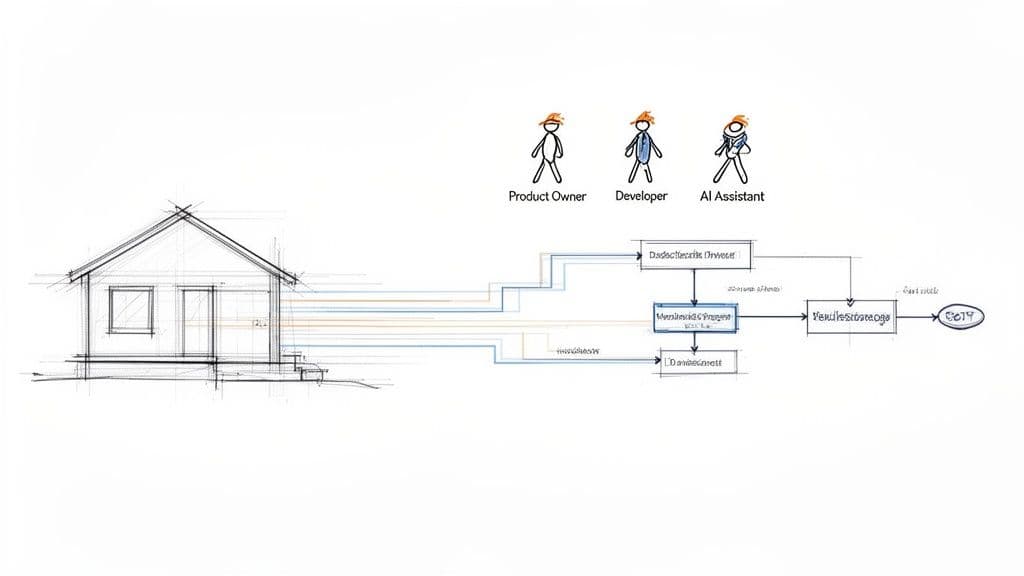
Jumping into a software project without a plan is like building a house without architectural drawings. You might end up with walls and a roof, but it won’t meet the occupants’ needs—changes later become painful and expensive. A use case model becomes a shared language for stakeholders, product managers, and engineers. Instead of long, vague documents, you get a clear visual map of user interactions and expected system responses. That planning is essential for high-quality software and helps teams work more efficiently and predictably.4
Aligning Teams and Reducing Rework
Ambiguity drives rework and delays. When requirements are fuzzy or misinterpreted, teams build the wrong features and incur technical debt. A solid use case model cuts through that confusion by locking down scope and behaviour early. That clarity is critical for shipping maintainable systems, especially with modern stacks like React and Next.js. Use case models integrate well with other planning tools and architecture diagrams to keep the whole team aligned.5
“A use case model forces you to tackle the hard questions early. Who are our users? What do they really need to do? What happens when things go sideways?”
Benefits at a glance:
- Clarifies system requirements by turning abstract goals into testable scenarios.
- Defines project scope with a visible boundary to defend against scope creep.
- Guides development and testing by linking each use case to user stories and test cases.
Understanding the Core Components of a Use Case Model
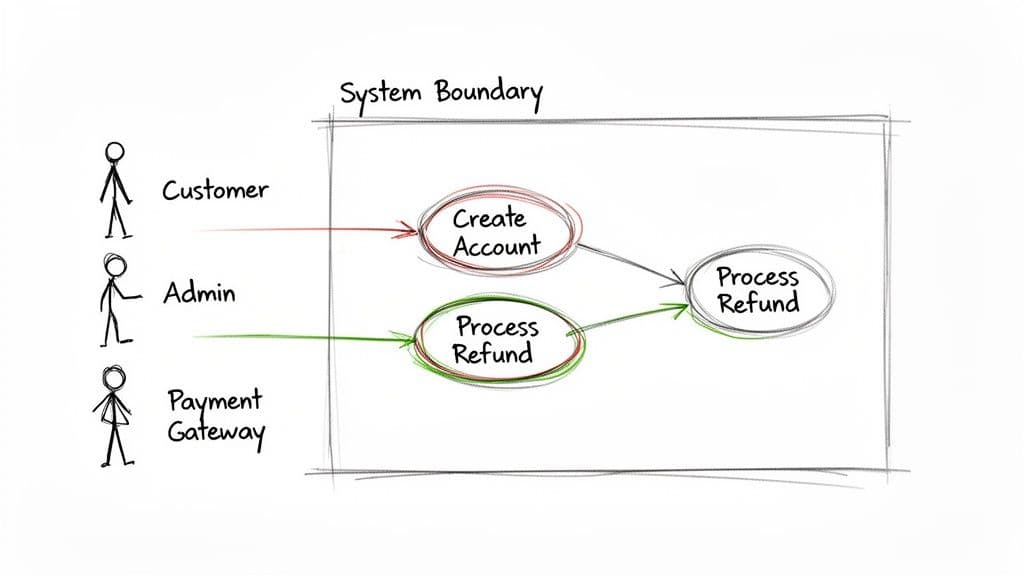
A use case model is built from a few simple building blocks. Think of your system as a stage play: the characters are the actors, their motivations are the use cases, and the stage is the system boundary. Each part tells the story of how your software must behave.
Actors: The Who
An actor is anyone or anything that interacts with your system from the outside. Actors can be humans, other systems, hardware, or scheduled timers. What matters is that actors are external and have goals they use your system to achieve.
Examples:
- Human Actor: a Customer placing an order.
- System Actor: a Payment Gateway called to process a credit card.
- Time-Based Actor: a Nightly Cron Job generating a daily sales report.
Getting actors right defines who initiates interactions and sets context for features.
Use Cases: The What
If actors are the “who,” use cases are the “what.” A use case represents a specific goal an actor wants to accomplish with the system. It’s the sequence of interactions that delivers observable value to the actor. Use cases are named with strong verb-noun phrases to keep the focus on the actor’s goal.
Example: “Purchase Item” includes searching, adding to cart, and completing checkout.
System Boundary: The Where
The system boundary is the rectangle that shows what’s part of your system and what’s not. Actors live outside; use cases live inside. That separation visually defines scope and responsibility.
Relationships: The How
Relationships are the lines that connect actors and use cases and link use cases together. They organize functionality, reduce repetition, and model complex scenarios without chaos.
Core Components at a Glance
| Component | UML Symbol | Purpose |
|---|---|---|
| Actor | Stick figure | External user, system, or timer interacting with your system. |
| Use Case | Oval | A goal the actor wants to achieve. |
| System Boundary | Rectangle | Defines what’s in scope. |
| Relationship | Line / Arrow | Connects actors and use cases or links use cases together. |
Visualizing System Behaviour with Use Case Diagrams
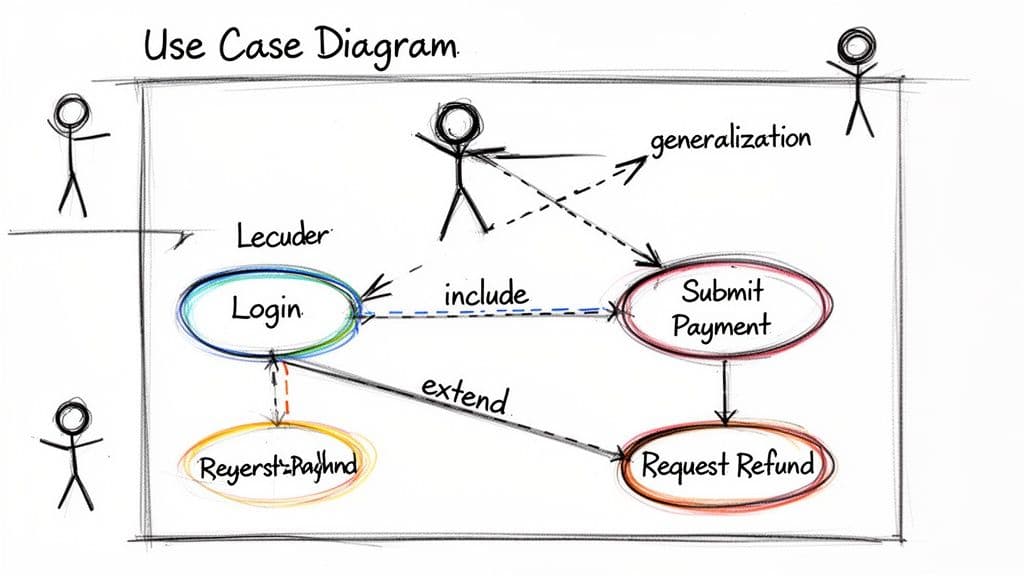
Use case diagrams turn abstract requirements into a shared picture of system behaviour. They use standard symbols from the Unified Modeling Language (UML) to keep diagrams consistent and easy to read.1
How to assemble the visual language:
- Actors: stick figures placed outside the boundary.
- Use Cases: ovals placed inside the boundary.
- System Boundary: a rectangle enclosing use cases.
- Relationships: lines connecting actors to use cases and use cases to each other.
Imagine a diagram for a platform like Life Purpose App: a ‘User’ actor connected to ovals like ‘Complete Assessment’ and ‘View Personalized Plan’ instantly communicates the core user journey.
Key Relationship Types
Understanding relationship types helps you model dependencies without repeating logic:
- <
>: a mandatory call to another use case, such as shared authentication. - <
>: optional behaviour, like applying a discount during checkout. - Generalization: inheritance between actors or use cases, such as ‘Registered User’ inheriting from ‘User.’
A well-drawn diagram becomes a single source of truth that answers critical questions about system behaviour at a glance.
How Use Cases Translate Directly into Clean Code
A well-defined use case model is a practical roadmap for writing focused, maintainable software. It bridges business goals and engineering work so every line of code has a clear purpose. When teams build from the user’s point of view, they make better architectural decisions and prevent scope creep by tying tasks back to user goals.
From Use Case to User Stories
A single use case is an ideal epic for breaking work into user stories. The use case provides context; the user stories provide actionable steps for a sprint.
Example for “Submit Payment”:
- Story 1: “As a customer, I want to enter my credit card details securely so that I can pay for my order.”
- Story 2: “As a customer, I want to see a confirmation of my payment so that I know the transaction was successful.”
- Story 3: “As a customer, I want to receive an email receipt so that I have a record of my purchase.”
Each story is testable and traceable back to the use case, which reduces ambiguity and helps QA and product decide when work is done.
Informing Technical Implementation
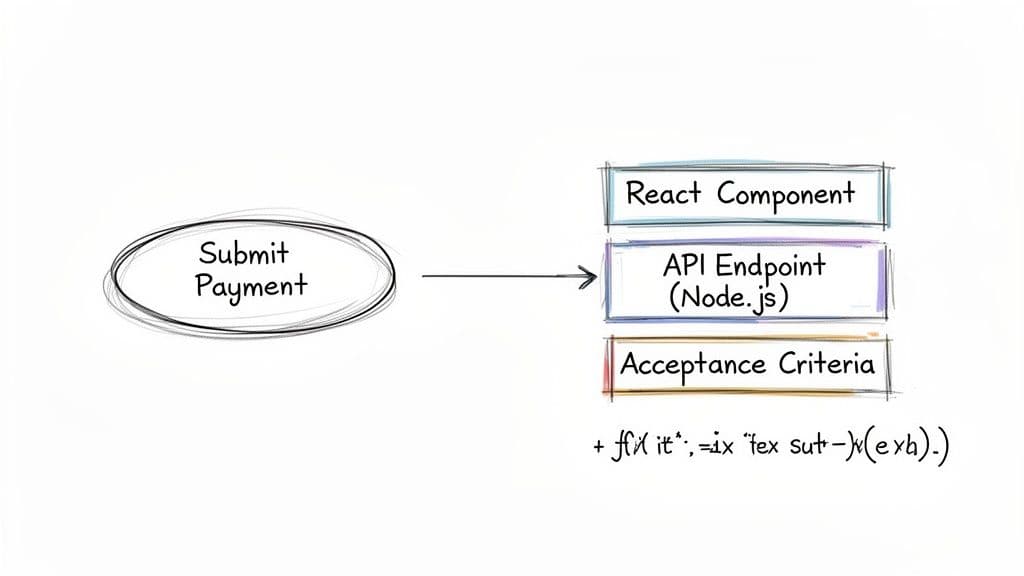
Use cases inform both front end and back end decisions. For “Submit Payment,” the use case indicates the need for a PaymentForm component on the front end and a POST /api/payments endpoint on the back end. That direct mapping prevents unnecessary or disconnected code and speeds delivery by aligning engineering effort to user needs. Organizations that link requirements clarity to engineering practices typically see measurable improvements in delivery and reliability of software projects.5
Weaving Use Case Models into Agile and AI-Driven Workflows
Use case models are not relics of waterfall. They work well in agile teams as living artifacts that evolve with the product. Sketch a lightweight model in sprint zero, refine use cases during backlog grooming, and keep the model updated so every epic and story ties directly to a real user goal.2
Making It Work in an Agile World
In agile, the use case model is a north star for the backlog. When a product owner adds an epic, the team can consult the model to identify actors and goals, then break the epic into meaningful stories. That context helps teams prioritize work that delivers real user value.
Supercharging Development with AI Assistants
AI pair programmers like GitHub Copilot can speed development, but they lack product context on their own. A use case model supplies the context AI needs to generate accurate, relevant code. When you craft prompts from well-defined use cases, AI tools produce better results and help teams move faster while avoiding common mistakes.3
Common Pitfalls and How to Sidestep Them
Use case modelling can become counterproductive if misused. Avoid excessive granularity, keep the model user-focused, and don’t describe the “how” inside the use case.
Common mistakes and fixes:
- Too granular: Don’t create use cases for each UI click. Keep use cases focused on user goals like “Submit Order,” not “Click Submit Button.”
- System-focused descriptions: Write use cases from the actor’s perspective, not the system’s. Validation should be part of a user goal, not a separate use case.
- Premature implementation details: Keep UI elements and database schemas out of the model. The use case defines the what; design and development decide the how.
Ground rules:
- Make it a team sport: product owners, developers, and QA should collaborate on the model.
- Focus on goals: use verb-noun names like “Generate Report.”
- Stay at 30,000 feet: keep implementation details out.
Common Questions
Aren’t Use Cases an Old Waterfall Thing? Are They Still Relevant for Agile Teams?
Yes. Use cases are still relevant. In agile teams they function as living artifacts, refined iteratively to provide context for epics and user stories rather than as rigid, one-time documents.2
What’s the Difference Between a Use Case and a User Story?
A use case describes a user’s goal at a higher level (the epic), while user stories are the granular, actionable steps to achieve that goal. Use cases give context; user stories give detail.
How Much Detail Should a Use Case Include?
Include the main flow, alternative paths, and key error conditions, but avoid implementation specifics like UI elements or database tables. The aim is clarity on the user journey, not a technical spec.
At Clean Code Guy, we help teams apply practical modelling techniques so software is scalable and maintainable. If your codebase feels tangled, a Clean Code Audit can give you clarity and a roadmap forward. Learn more at cleancodeguy.com.
Additional Q&A
Q: How do I start creating a use case model for an existing product?
A: Begin by identifying primary actors and top-level goals, sketch a few high-value use cases, then validate with stakeholders. Iterate during backlog grooming.
Q: How do use case models reduce bugs and rework?
A: By tying work to explicit user goals, use case models reduce ambiguity, improve test coverage, and make acceptance criteria clearer for developers and QA.
Q: Can designers and product managers use these diagrams too?
A: Yes. Use case diagrams are a cross-functional communication tool that helps designers, PMs, and engineers agree on scope and user intent.
Quick Q&A — Three Concise Answers
How fast can I create a useful use case model?
Sketch a lightweight model in a day for a single feature set and refine it over a few sprints.
What’s the minimum a use case needs?
A clear actor, a concise verb-noun goal, the main success flow, and key alternate paths or errors.
How do I keep the model current?
Treat it as a living document: update during backlog grooming and link epics and stories back to use cases.
1.
Object Management Group. “Unified Modeling Language (UML) Specification.” https://www.omg.org/spec/UML/
2.
Agile Alliance. “Use Case.” https://www.agilealliance.org/glossary/use-case/
3.
GitHub. “GitHub Copilot.” https://github.com/features/copilot
4.
Google Cloud. “State of DevOps.” https://cloud.google.com/devops/state-of-devops
5.
DORA / Accelerate research on software delivery performance. See DORA research summary at https://cloud.google.com/solutions/dora
🙋🏻♂️
AI writes code.You make it last.
In the age of AI acceleration, clean code isn’t just good practice — it’s the difference between systems that scale and codebases that collapse under their own weight.