Compare software architecture patterns for scalable, maintainable React + TypeScript apps. This practical guide helps you pick a pattern, refactor legacy code safely, and make AI tools more effective.
January 12, 2026 (6mo ago) — last updated May 26, 2026 (2mo ago)
Software Architecture Patterns for React & TypeScript
Compare architecture patterns for scalable, maintainable React + TypeScript apps and get a pragmatic migration plan and audit checklist.
← Back to blog
Software Architecture Patterns for React & TypeScript
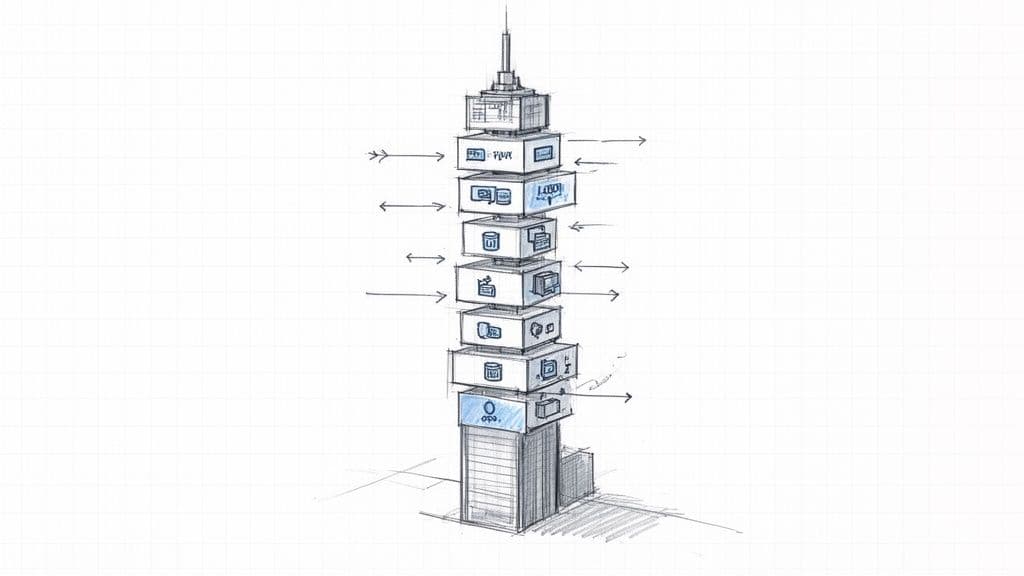
Discover practical guidance to choose and apply software architectural patterns for scalable, maintainable TypeScript and React applications. This guide compares common patterns, shows how to refactor legacy code safely, and explains why a clean architecture helps your team and AI coding tools work better together.
Your Blueprint for Building Scalable Software
Picture trying to build a skyscraper without any plans. You might get a few floors framed, but chaos soon follows. Building a complex application without a clear architectural pattern feels the same: technical debt accumulates, onboarding slows, and delivering features becomes painful.
Architectural patterns aren’t about specific lines of code. They’re high-level strategies that define how components fit together, communicate, and evolve. Choosing the right one affects performance, scalability, developer productivity, and how well your team can leverage AI coding assistants like GitHub Copilot1.
Why Architectural Patterns Matter
For engineering leaders, a clear architecture provides strategic clarity. It enforces consistency, reduces cognitive load for new hires, and allows teams to work independently with predictable interfaces. Adopting a deliberate pattern delivers major benefits:
- Reduced technical risk through battle-tested structures.
- Faster development because teams avoid reinventing fundamental solutions.
- Improved communication via a shared vocabulary (for example, “microservices” or “event-driven”).
- Easier maintenance thanks to predictable boundaries and conventions.
A good pattern prevents architectural mistakes early and reduces costly rework later. Visualizing structure through diagrams is essential; effective software architectural diagrams help teams converge on a shared plan.
Understanding Core Architectural Patterns
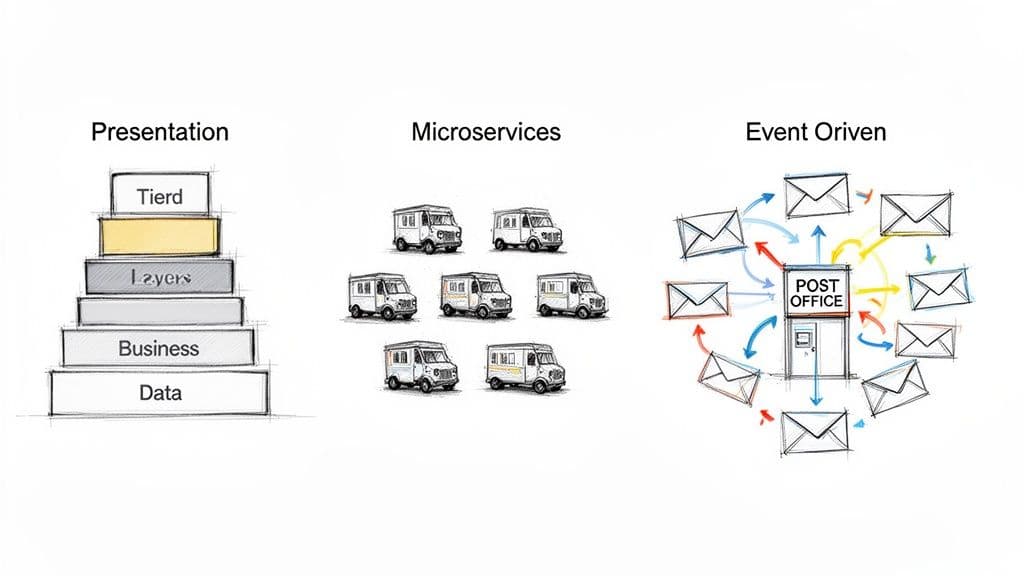
Choosing a pattern is like picking the right blueprint for a building. Below are practical descriptions of the most common patterns and when to use them.
Layered (N‑Tier)
The Layered pattern is like a layer cake: presentation, business logic, and data access each have a clear responsibility. It’s easy to understand and great for simple web apps and rapid prototyping. You can swap the database without touching business logic, which aids maintainability. The drawback is rigidity: changes in one layer can cascade into others.
Typical layers:
- Presentation (UI)
- Business logic
- Data access
Microservices
Microservices split a large application into small, independently deployable services, each owning a single business capability. This enables team autonomy and targeted scaling. However, it adds operational complexity: you need robust CI/CD, observability, and failure handling strategies2.
Microservices are best when different domains must scale independently or when multiple teams own separate services.
Event‑Driven
Event‑Driven architectures use events (messages) to decouple components. A publisher emits an event like “OrderPlaced,” and subscribers react independently. This pattern suits real‑time, highly responsive systems, but asynchronous flows make consistency and debugging more challenging.
Hexagonal (Ports and Adapters)
Hexagonal architecture isolates core business logic from external concerns via ports (interfaces) and adapters (implementations). The result is very testable, framework-agnostic core code that’s easy to evolve.
CQRS (Command Query Responsibility Segregation)
CQRS splits write and read models so you can optimize each separately. It’s powerful for systems with heavy read/reporting needs, but it increases complexity and demands careful design of eventual consistency.
Serverless
Serverless runs functions managed by a cloud provider, so you don’t manage servers. It’s cost-effective for variable traffic and event-driven workloads, but you trade off vendor coupling and more complex local testing.
Quick Comparison
| Pattern | Best For | Complexity | Scalability |
|---|---|---|---|
| Layered | Small web apps, prototypes | Low | Moderate |
| Microservices | Large apps, independent teams | High | High |
| Event‑Driven | Real‑time, async systems | Moderate–High | High |
| Hexagonal | Long‑lived core logic | Moderate | High |
| CQRS | Complex read/write needs | High | High |
| Serverless | Variable load, event tasks | Low–Moderate | Very High |
Every pattern involves trade‑offs. Choose based on your business needs, team skills, and long-term goals.
How to Choose the Right Pattern
Selecting a pattern is a strategic trade‑off. Ask practical questions: what do we need now, how complex is the domain, and what can our team maintain? A small startup often benefits from a well‑organized monolith to move fast; a large organization with multiple domains might need microservices.
Key considerations:
- Project complexity and expected scale
- Team experience with distributed systems
- Operational cost and tooling requirements
- Business goals such as time to market or regulatory constraints
Avoid overengineering: picking an overly complex architecture for a simple product adds operational burden and slows development. When you need data to guide decisions, look at DevOps and architecture surveys that correlate architecture and delivery performance; high‑performing teams deploy far more frequently than lower performers3.
Refactoring Legacy Code: A Practical Roadmap

Most teams inherit messy codebases. Resist a full rewrite. Instead, modernize incrementally so you keep delivering value while improving architecture.
Step 1: Identify Code Smells
Start by hunting for symptoms of architectural decay:
- Bloated React components doing UI, state, data fetching, and business logic
- God objects or modules that know too much
- Inconsistent naming and folder structure
- Deeply nested conditionals and tangled dependencies
Spotting these smells gives you a prioritized list of areas to fix4.
Step 2: Define Boundaries with Domain‑Driven Design
Use Domain‑Driven Design (DDD) to carve clear bounded contexts around business capabilities—user management, orders, inventory, and so on. In React, organize UI around feature areas rather than a single, monolithic component tree. Boundaries make independent development and testing possible5.
Step 3: Strangler Fig Pattern for Incremental Migration
Replace legacy pieces gradually using the Strangler Fig Pattern: identify a small seam, build the new component in the target architecture, route traffic to it, and repeat until the old system can be retired. This pattern reduces risk and preserves feature delivery while you refactor6.
How a Clean Architecture Makes AI Tools Smarter
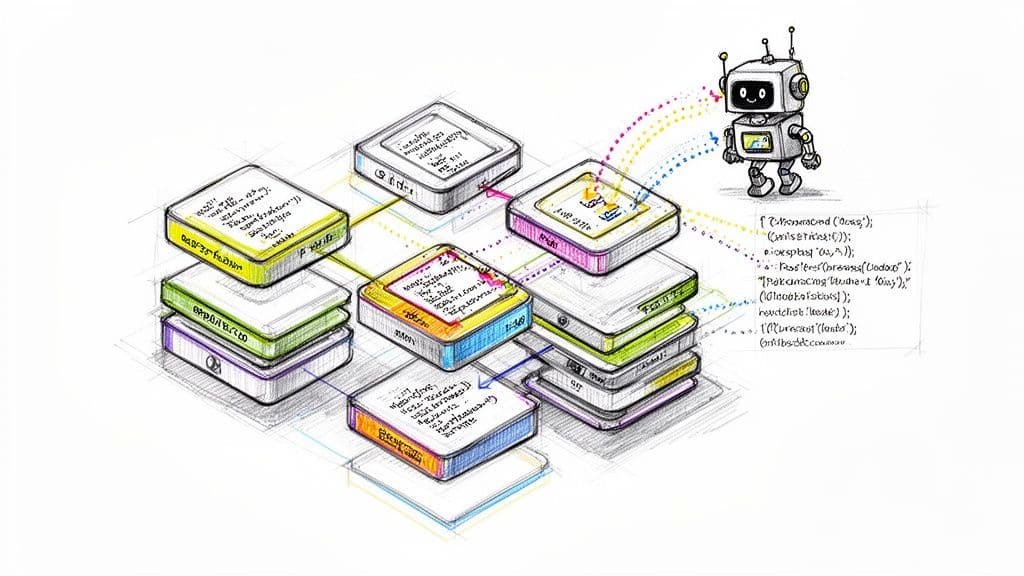
AI coding assistants are powerful pattern matchers. When your codebase is consistent, these tools provide much more accurate, maintainable suggestions. A clean architecture gives AI tools clear conventions, obvious data flows, and separated concerns, which reduces noisy or incorrect auto‑generated code1.
Practical gains when the codebase is well structured:
- Better AI suggestions for business logic when external concerns are isolated.
- Faster onboarding and fewer merge conflicts because generated code follows consistent conventions.
- Improved productivity: studies and vendor reports note significant time savings when teams use AI coding assistants in consistent codebases1.
A clean architecture acts as guardrails that constrain AI suggestions to align with your design, resulting in code that’s both correct and maintainable.
Architectural Action Plan
Turn theory into practice with a pragmatic plan.
1. Audit Your Codebase
- Identify “where the code fights you” by finding difficult-to-change areas.
- Map business domains with product owners to reveal natural boundaries.
- Inventory your team’s skills and tooling maturity.
2. Define a Target Architecture
- Choose a pattern that matches business goals and team ability.
- Record decisions using Architectural Decision Records (ADRs) to capture the rationale behind choices.
3. Migrate Incrementally
- Pick a pilot area that’s low risk and self-contained.
- Build, measure, and iterate on the new pattern in the pilot.
- Expand using the Strangler Fig Pattern until migration is complete.
Frequently Asked Questions
What’s the difference between an architectural pattern and a design pattern?
An architectural pattern is a high‑level blueprint for the entire system, deciding how major components are arranged and interact. A design pattern solves a small, recurring problem inside that system, such as how to manage a single database connection.
Can we change our architectural pattern later?
Yes, but it’s often costly. Changing a monolith into microservices is a significant engineering effort. The recommended approach is gradual migration using tactics like the Strangler Fig Pattern to reduce risk and keep delivering features6.
Does a fast startup need a formal architectural pattern?
Yes. Even a simple, well‑organized monolith provides the conventions and predictability teams need to move quickly without accumulating crippling technical debt.
Concise Q&A — Common Questions and Short Answers
Q: How do I pick the right pattern for my React + TypeScript app?
A: Match the pattern to your team size, domain complexity, and operational capability. Start simple and evolve as needs grow.
Q: How do I start refactoring a messy codebase without breaking production?
A: Use small, incremental changes: identify code smells, define bounded contexts, and apply the Strangler Fig Pattern to replace parts gradually.
Q: How does architecture affect AI coding tools?
A: Clean, consistent structure gives AI tools context, so suggestions are more accurate and require less manual cleanup.
Practical Q&A — Quick Answers to Common Pain Points
Q: What should I standardize first to make my React codebase easier to maintain?
A: Start with folder structure, naming conventions, and component boundaries. Standardize state and data-fetching patterns so components stay focused on UI.
Q: When should we consider splitting into microservices?
A: Consider microservices when teams need independent deploys, domains scale differently, and you have the operational maturity for CI/CD and observability.
Q: How can we measure progress during an architecture migration?
A: Track deploy frequency, lead time for changes, and mean time to restore (MTTR). Measure reduction in code churn and time-to-onboard for new engineers.
Ready to build a codebase that empowers your team and AI tools? Clean, intentional architecture reduces bugs, accelerates delivery, and makes systems maintainable. Learn more at https://cleancodeguy.com.
1.
GitHub Copilot and similar AI coding assistants improve developer productivity when the codebase is consistent. See GitHub Copilot features: https://github.com/features/copilot
2.
Martin Fowler’s overview of microservices discusses benefits and operational trade‑offs: https://martinfowler.com/articles/microservices.html
3.
DORA/Accelerate reports correlate architecture and delivery performance; high‑performing teams deploy far more frequently than lower performers—for example, elite performers have been shown to deploy hundreds of times more frequently than low performers. See summary: https://cloud.google.com/blog/products/devops-sre/state-of-devops-2019
4.
Code smells and their impact on architecture are well documented; see this guide: https://kluster.ai/blog/what-is-a-code-smell
5.
Domain‑Driven Design (DDD) introduces bounded contexts and domain modeling as ways to define clear architectural boundaries. See DDD resources: https://domainlanguage.com/ddd/
6.
The Strangler Fig Pattern is a pragmatic strategy for incremental migration: https://martinfowler.com/bliki/StranglerFigApplication.html
🙋🏻♂️
AI writes code.You make it last.
In the age of AI acceleration, clean code isn’t just good practice — it’s the difference between systems that scale and codebases that collapse under their own weight.