Naming conventions are a shared language that make code readable, maintainable, and easier for tools and AI to work with. This guide gives practical rules for TypeScript, React, and Node, plus automation and rollout strategies to help conventions stick.
February 4, 2026 (7mo ago) — last updated August 20, 2026 (1mo ago)
Naming Conventions for Scalable, Clean Code
Master naming conventions for TypeScript, React, and Node to boost readability, maintainability, and AI collaboration. Rules, automation, and rollout tips.
← Back to blog
Naming Conventions for Scalable, Clean Code
Discover how mastering naming conventions in programming leads to cleaner, more scalable code. Learn practical rules, automation, and rollout strategies.
Introduction
Naming conventions are more than a style choice. They’re a shared language that makes code readable, maintainable, and safer to change. Good names reduce mental overhead, speed onboarding, and make tooling and AI suggestions more reliable. This guide gives practical rules for TypeScript, React, and Node, plus automation and rollout strategies to help conventions stick.
Why Naming Conventions Are Your Codebase’s First Defence
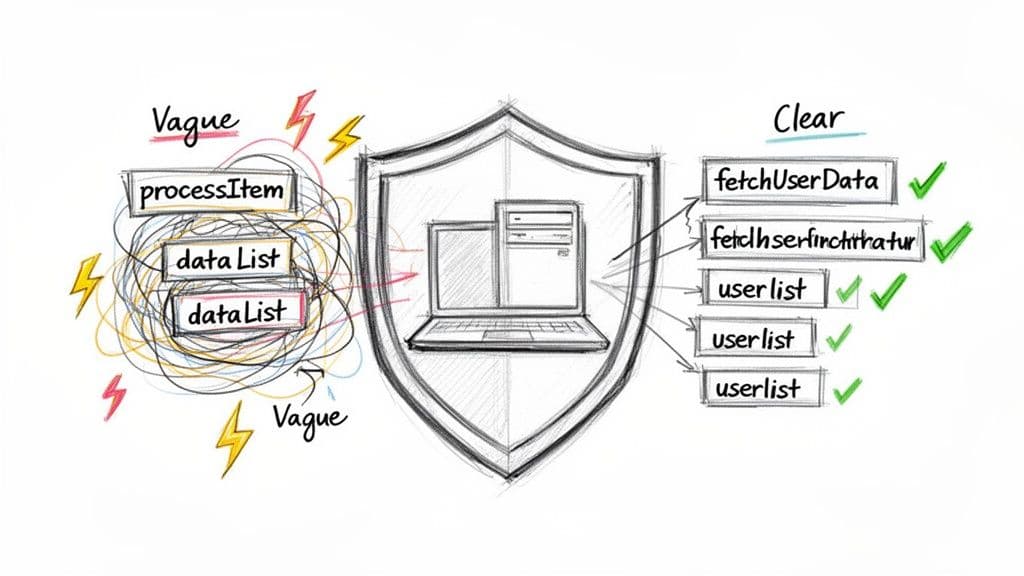
Naming isn’t about aesthetics; it’s about clear communication. Every variable, function, and component is part of your app’s story. Vague or inconsistent names force readers to stop and hunt for context, turning small fixes into time sinks.
A single unclear function name can cause minutes or hours of wasted debugging. When that repeats across a team, productivity drops and incidents become more likely. A codebase with clear, consistent naming becomes effectively “self-documenting,” reducing the need for lengthy comments and making the system easier to navigate.1
The Real-World Cost of Bad Naming
Consider a Node.js backend with a function called processItem() and an argument named dataList. What does it actually do? To answer that, you might have to read the implementation, trace callers, or run a debugger. These detours add up and can lead to real failures when assumptions aren’t clear.1
Audits of early-stage projects commonly find inconsistent naming and measurable slowdowns in onboarding and debugging, underscoring how naming affects team velocity and reliability.1 Standardized naming and data definitions also reduce integration errors in large projects.2
Naming Conventions and Team Scalability
The problem compounds as teams grow. Inconsistent naming makes code harder for new hires to understand and slows collaboration. Adopting shared conventions early prevents legacy debt and reduces friction as the team scales.
Common Naming Styles at a Glance
This quick reference shows common case styles and where they’re typically used:
| Case Style | Example | Primary Use Case |
|---|---|---|
| camelCase | let userName = “Alex”; | Variables and functions (JavaScript/TypeScript) |
| PascalCase | class UserProfile {} | Classes, interfaces, types, React components |
| snake_case | const API_KEY = "..."; | Constants or languages like Python |
| kebab-case | user-profile.css | CSS class names, file names, and URLs |
Understanding when to use each style builds a predictable vocabulary across a project.
Preparing Your Code for AI Collaboration
AI tools like GitHub Copilot and other code assistants work better when your code follows consistent patterns. They learn from your repository and mirror the style and intent they observe.3
- Predictable AI suggestions: Booleans prefixed with
isorhaslead to clearer conditional logic. - Accurate function generation: Functions that fetch data consistently named
fetchSomethinghelp the AI produce correct async code. - Smarter refactoring: Consistent names help tooling detect relationships and produce safer changes.
By making naming conventions explicit, you improve human readability and make your AI assistants more reliable collaborators.3
Practical Naming Rules for TypeScript, React, and Node
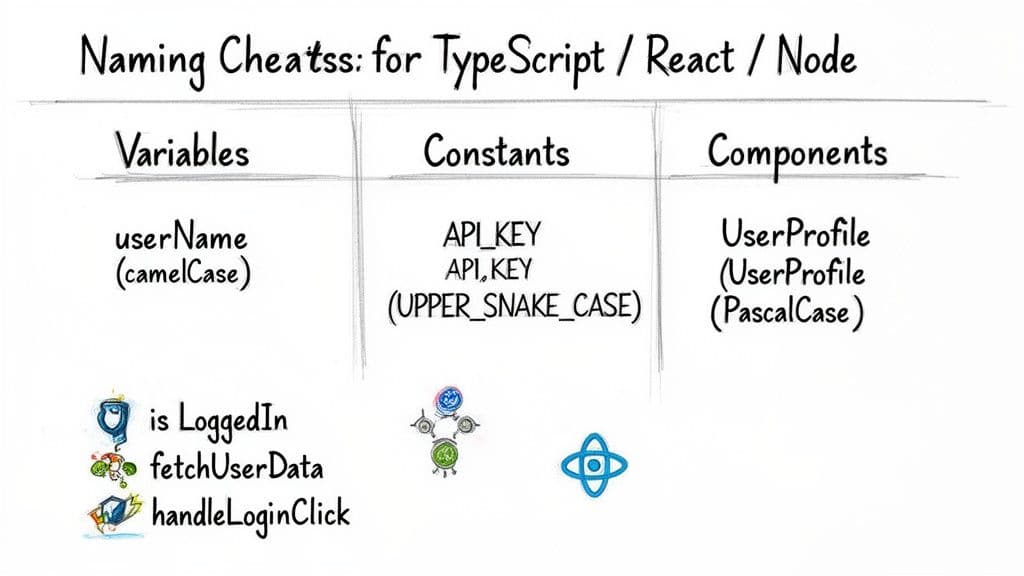
These rules are battle-tested for modern web stacks and reduce cognitive load across your team.
Core JavaScript and TypeScript Conventions
-
Variables and functions: use camelCase
- Good:
let userProfile = {}; - Good:
function calculateTotalPrice() {} - Bad:
let UserProfile = {};(looks like a class)
- Good:
-
Classes, interfaces, types: use PascalCase. This aligns with the TypeScript handbook naming patterns.5
- Good:
class AuthenticationService {} - Good:
interface User { id: string }
- Good:
-
True constants: use UPPER_SNAKE_CASE
- Good:
const API_BASE_URL = '...' - Good:
const MAX_LOGIN_ATTEMPTS = 5;
- Good:
Getting these basics right makes identifiers immediately recognizable.
Semantic Naming for Clarity
Use words and prefixes that signal intent. Clear distinctions between variables and functions cut down bugs and misinterpretation. Teams that adopt explicit naming conventions report fewer bugs and improved maintainability in codebase audits and best-practice guides.4
React-Specific Rules
-
Components and filenames: use PascalCase
function UserProfile() { ... }→ fileUserProfile.tsx
-
Event handlers: prefix with
handlefunction handleLoginClick() { ... }
-
useState pairs: follow
[thing, setThing]const [isLoading, setIsLoading] = useState(false);
Action-Oriented and Descriptive Naming
- Booleans: prefix with
is,has, orcan(isModalOpen,hasUnsavedChanges) - Functions: name with verbs (
fetchUserData,validateInput,saveSettings)
Adopt names that read like plain English. It makes the code more intuitive and reduces the need for comments.
Automating Consistency to Enforce Naming Rules
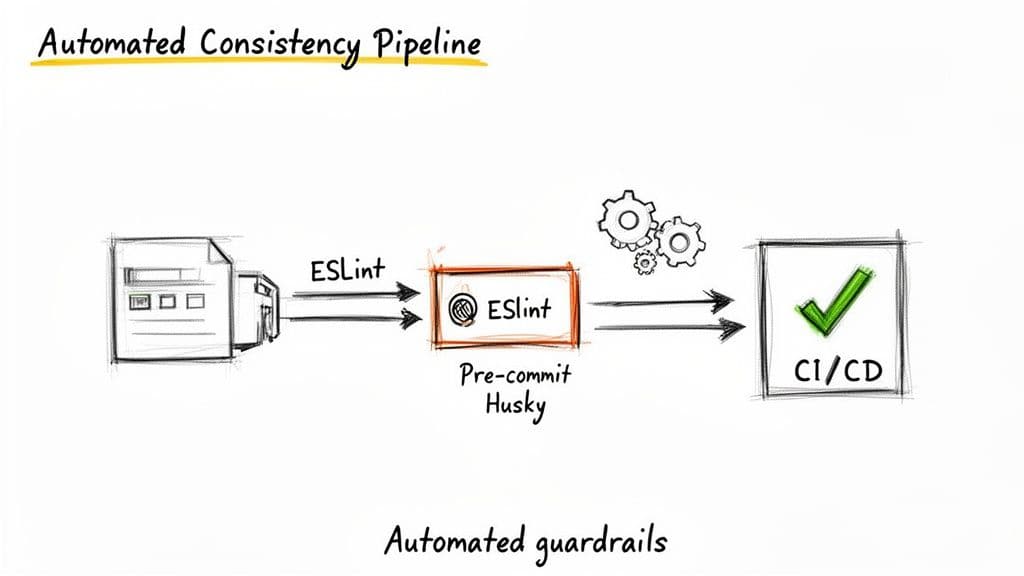
Defining rules is the first step; automation makes them stick. Relying solely on code reviews for naming consistency wastes reviewers’ time and leaves gaps.
ESLint: Your First Line of Defence
ESLint provides real-time feedback in editors and can enforce naming rules with custom rules or plugins. Use a shared ESLint configuration so everyone gets the same checks.6
- Real-time corrections prevent mistakes before they’re committed.
- Tailored rules enforce team-specific conventions (for example, boolean prefixes).
- Shared configs remove style debates and reduce friction.
Pre-commit Hooks with Husky
Husky runs scripts on commit. Combined with lint-staged, it prevents non-compliant code from entering the repo by running ESLint against staged files and rejecting commits that fail checks.
CI Linting
Always run the linter in CI as a final gate. CI acts as the objective source of truth and blocks pull requests that introduce naming violations or other style errors.
This three-layer approach — editor linting, pre-commit hooks, and CI — enforces standards with minimal manual policing.
Architecting Your File and Folder Structure
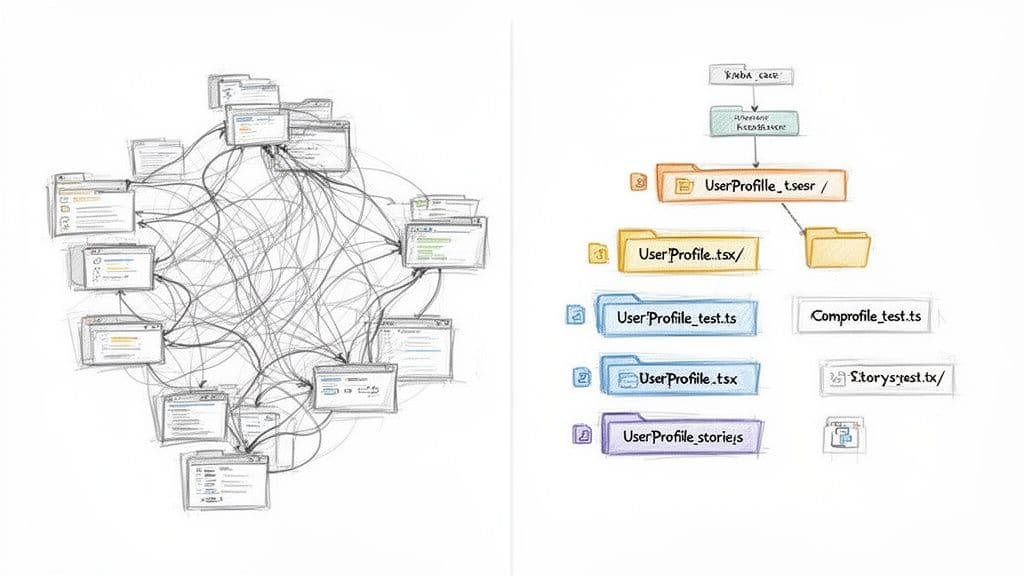
Naming conventions extend to files and directories. A predictable architecture helps new developers find code fast and reduces cognitive load when making changes.
Structure by Feature, Not by Type
Organize code around features or domains rather than by file type. Co-locate components, services, hooks, and tests for a feature inside the same directory. For example, put everything related to authentication in ./auth.
This makes features self-contained and easier to reason about, test, or remove.
Essential File Naming Rules
- Directories: use kebab-case (
user-profile,auth-service) - React components: PascalCase (
UserProfile.tsx) - Utilities and services: camelCase (
apiClient.ts,stringUtils.ts) - Use descriptive suffixes (
.test.ts,.stories.tsx,.styles.ts)
A consistent file system reduces merge conflicts and helps distributed teams collaborate.
How to Roll Out New Conventions in an Existing Codebase
A full, immediate refactor is risky. Instead, adopt an incremental approach: always leave the code a little cleaner than you found it.
Start with a Conversation
Get team buy-in by explaining measurable benefits: faster onboarding, fewer bugs, and improved developer productivity. Run a pilot on a single module to demonstrate gains and build momentum.
Document the Rules
Put the conventions in CONTRIBUTING.md or your project README. Use clear examples showing right and wrong. Explain the rationale briefly so the rules stick. Consider adding a short guide at ./CONTRIBUTING.md and a folder structure reference at ./docs/architecture.
Let the Linter Do the Heavy Lifting
Configure tooling to enforce rules only on new or changed code: use lint-staged, Husky, and CI checks limited to PR changes. This avoids blocking work on large legacy files while ensuring all new changes follow the standard.
Measure Success
Track signals such as:
- Fewer PR nits about naming
- Faster review cycles
- Better onboarding feedback from new hires
These indicators show whether your conventions are improving team velocity and code clarity.
Common Questions About Naming Conventions
How Do You Get Buy-In from Senior Developers?
Focus on team-level benefits rather than personal preferences. Use data from audits or pilot refactors to show concrete improvements in readability and review time. Make it a team-owned decision, not a top-down mandate.
What Is the Best Naming Convention for API Endpoints?
For RESTful APIs, use plural nouns for resources and let HTTP methods define actions. Example: GET /users, GET /users/{userId}, POST /users. Avoid verbs in URLs to keep APIs predictable and language-agnostic.
Should Test Files Have Their Own Naming Conventions?
Yes. Mirror the component or module name and add .test.ts or .spec.ts. Keep tests next to the files they cover and write test descriptions that read like human sentences.
Bottom-line Q&A
Q: What’s the single most impactful naming rule to start with?
A: Use camelCase for variables and functions, PascalCase for types and components, and UPPER_SNAKE_CASE for true constants. These visual cues alone reduce confusion.
Q: How can I enforce naming without breaking the build on legacy code?
A: Run linters only on staged or changed files (using lint-staged and CI checks for PRs). Enforce new rules on new work while improving legacy code incrementally.
Q: How do naming conventions help AI tools like Copilot?
A: Consistent patterns teach AI the project’s intent so suggestions are more accurate, refactors are safer, and generated code follows your team’s established conventions.3
Quick Q&A (Concise Answers)
What’s the fastest way to improve naming across a team?
Start with a minimal, documented standard and enforce it with ESLint and pre-commit hooks so new code follows the rules.
How should I handle large legacy files?
Apply linting only to changed lines or files in PRs, and refactor incrementally—leave code cleaner than you found it.
What naming pattern helps AI the most?
Consistent verb-based functions and is/has/can boolean prefixes. AI picks up predictable patterns and yields better suggestions.3
At Clean Code Guy, we help teams adopt practical standards and run Codebase Audits and AI-Ready Refactors to bring structure and speed back to engineering teams. Learn more at https://cleancodeguy.com.
1.
Audit results and team examples from Clean Code Guy internal codebase reviews showing common naming inconsistencies and their impact: https://cleancodeguy.com
2.
Statistics Canada: data standardization and integration error reduction example: https://www150.statcan.gc.ca/n1/pub/12-001-x/2019001/article/00001-eng.htm
3.
GitHub Copilot and related AI tooling documentation and guidance on how consistent code patterns improve suggestions: https://github.com/features/copilot
4.
CU Research Computing coding best practices and observed benefits from clearer naming conventions: https://curc.readthedocs.io/en/latest/programming/coding-best-practices.html
5.
TypeScript Handbook and naming guidance for types and interfaces: https://www.typescriptlang.org/docs/handbook/
6.
ESLint documentation and rules guide for enforcing naming and style conventions: https://eslint.org/docs/latest/
🙋🏻♂️
AI writes code.You make it last.
In the age of AI acceleration, clean code isn’t just good practice — it’s the difference between systems that scale and codebases that collapse under their own weight.