Visualize your application’s structure with clear MVC diagrams to build maintainable, testable systems. This guide explains component and sequence diagrams, common implementation mistakes, and practical refactors teams can apply. Clear architecture helps teams work in parallel and meets ongoing demand for software developers1.
February 3, 2026 (7mo ago) — last updated July 8, 2026 (2mo ago)
MVC Diagram Guide for Clean, Scalable Code
Visualize MVC diagrams to build maintainable, testable applications. Learn component vs sequence diagrams, avoid common anti-patterns, and refactor for clarity.
← Back to blog
Mastering the MVC Pattern Diagram for Clean, Scalable Code
Summary: Visualize MVC pattern diagrams to build maintainable, scalable applications. Learn component vs sequence diagrams, common mistakes, and refactoring tips.
Introduction
Visualize your application’s structure with clear MVC diagrams to build maintainable, testable systems. This guide explains component and sequence diagrams, common implementation mistakes, and practical refactors teams can apply. Clear architecture helps teams work in parallel and meets ongoing demand for software developers1.
An MVC pattern diagram maps an application’s architecture into three distinct roles: managing data (Model), rendering the interface (View), and handling input (Controller). This separation keeps code predictable and reduces the risk of tangled logic that’s hard to change.
What Is the MVC Pattern and Why Does It Matter?
Think of Model-View-Controller (MVC) like a well-run restaurant. The analogy makes an abstract idea tangible and helps you read any MVC diagram with confidence.
Separation of concerns prevents “spaghetti code” — a jumbled mix of logic that’s hard to maintain. When each part has a distinct role, changes stay predictable and contained. That predictability is one reason demand for software developers remains strong nationally and regionally1.
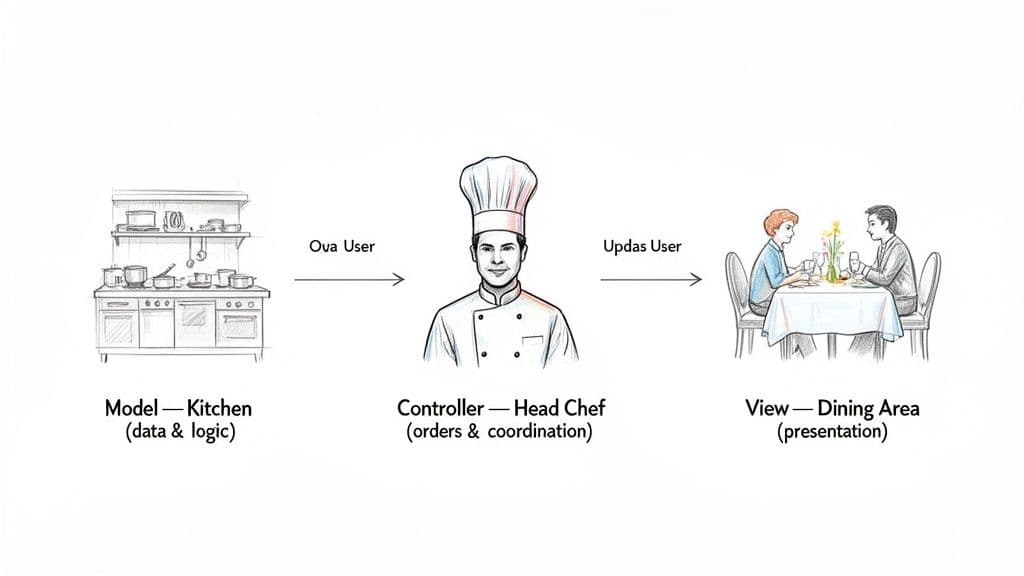
The Three Core Components Explained
To grasp the structure, here’s what each component does using the restaurant analogy.
- Model (The Kitchen): Manages data, business rules, and validations. It’s the single source of truth and doesn’t know how data will be presented.
- View (The Dining Area): Renders the user interface. Its only responsibility is presentation — no business logic.
- Controller (The Head Chef): Coordinates input and orchestrates between View and Model.
MVC Core Component Responsibilities
| Component | Primary Responsibility | Analogy (Restaurant) |
|---|---|---|
| Model | Manages application data and business logic. | The Kitchen — handles ingredients and recipes. |
| View | Displays the data and user interface. | The Dining Area — presents the finished meal. |
| Controller | Handles user input and coordinates the Model/View. | The Head Chef — takes orders and directs the kitchen. |
“Enforcing this separation ensures each part has a single, clear responsibility. It’s fundamental to building scalable and maintainable software.”
This structure is more important than ever, especially when teams use AI-assisted tools that depend on clean, organized code. For related patterns and broader architectural ideas, see our guide on software architecture patterns.
Visualizing the Big Picture with an MVC Component Diagram
An MVC component diagram is the architectural blueprint. It shows static relationships between Model, View, and Controller and helps teams agree on boundaries and responsibilities.
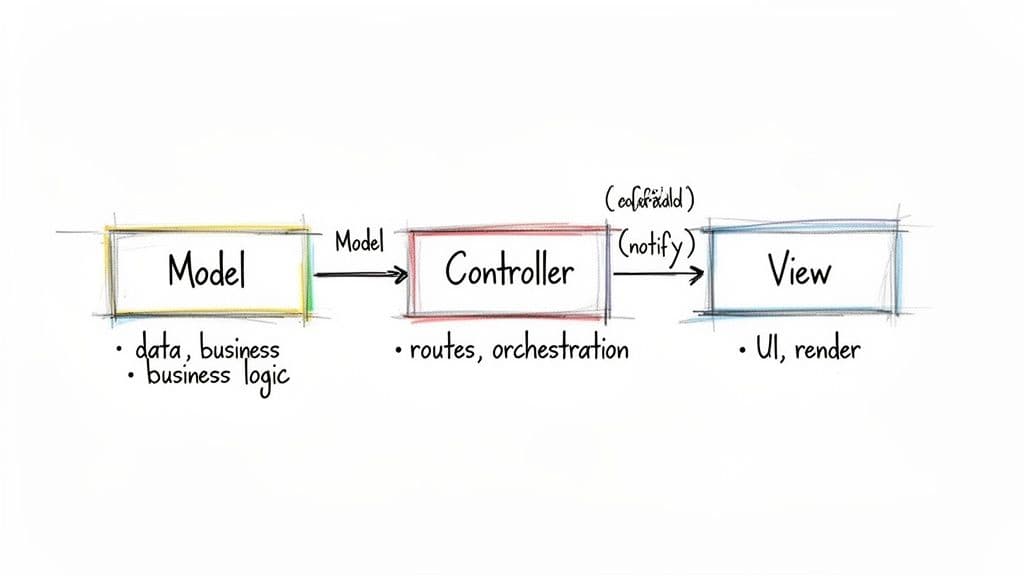
A component diagram doesn’t show step-by-step data flow — that’s what sequence diagrams are for — but it defines the rules of engagement and prevents responsibilities from bleeding across components.
Defining Who Does What
- Model: The single source of truth. Handles validation, persistence, and business rules. It doesn’t care about presentation.
- View: Pure presentation. It renders data and should never contain business logic.
- Controller: Orchestrates flow. It receives input, calls the Model, and selects the View.
This strict division is the cornerstone of MVC. Teams that adhere to it find codebases far easier to test, debug, and scale. Clear diagrams also improve collaboration, reduce defects, and lower maintenance overhead; organizations that adopt modular architectures report faster recovery from incidents and better developer productivity3.
For more examples of architectural diagrams, see our collection of software-architectural diagrams.
Tracing User Actions with an MVC Sequence Diagram
If a component diagram is the blueprint, a sequence diagram is the movie. It shows moment-to-moment conversations as a user’s request travels through the system — invaluable for debugging.
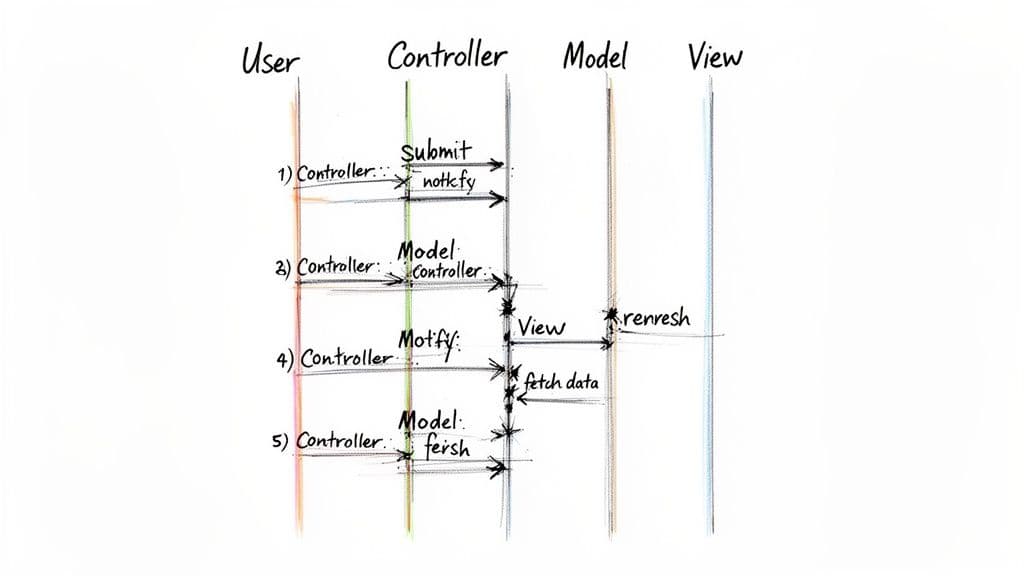
Sequence diagrams are essential when tracing bugs or verifying flows in critical systems. They let you follow a request from user action to final UI update, so you can pinpoint where a breakdown occurred.
The Lifecycle of a User Request
A typical sequence for a form submission looks like this:
- User interaction captured: The user clicks “Submit.” The Controller catches the event and prepares it for processing.
- Controller updates the Model: The Controller calls the Model with the form data, e.g.,
model.updateUserData(formData). - Model manages state: The Model validates and persists data, then updates its state.
Predictable one-way data flow makes debugging straightforward and prevents complex bugs that arise from tangled communication.
Completing the Loop
- Controller selects the View: After the Model updates, the Controller decides which View to render (success page, form with errors, etc.).
- View renders new state: The View reads the latest state from the Model (for server-side rendering) or receives state via the frontend state store and renders it for the user.
How the MVC Pattern Translates to Modern Web Frameworks
MVC remains relevant across modern stacks. Names and implementations vary, but the core separation of concerns stays useful for building maintainable systems.
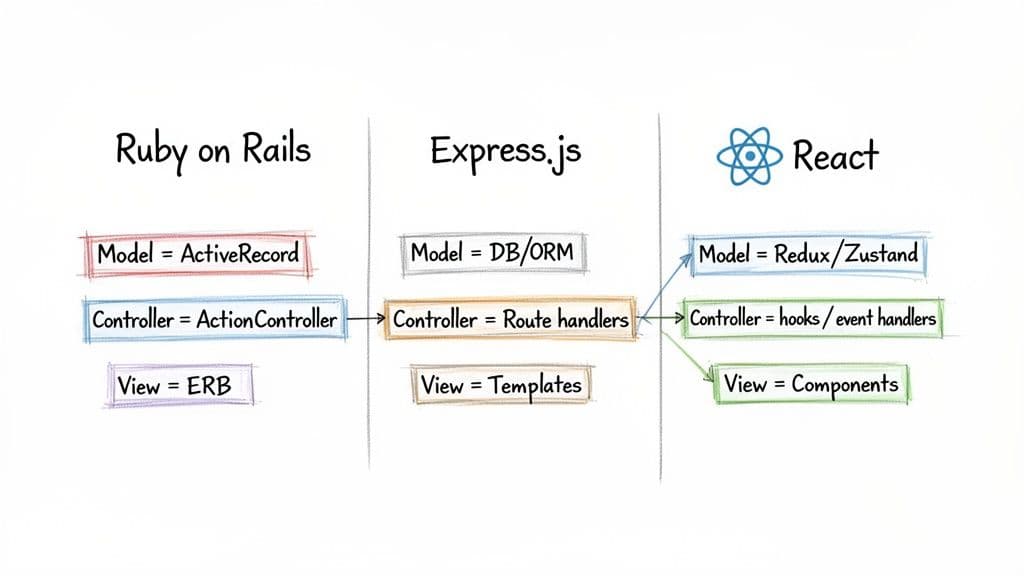
Mapping MVC Components to Modern Frameworks
| MVC Component | Ruby on Rails | Node.js with Express | React with State Management |
|---|---|---|---|
| Model | ActiveRecord — data, business rules, DB access. | Mongoose/Sequelize models in dedicated folders. | State libraries like Redux, Zustand, or Context API. |
| View | ERB/Haml templates render HTML. | Templating engines like EJS, Pug, or Handlebars. | React components render UI from state. |
| Controller | ActionController routes requests and coordinates. | Route handlers orchestrate requests and responses. | Event handlers and custom hooks dispatch actions to update state. |
Ruby on Rails: The Textbook MVC Implementation
Rails models, views, and controllers map closely to the MVC roles, making it a popular teaching example.
Node.js with Express: A More Flexible Take
Express is minimal by design and won’t enforce MVC. Teams often create folders for models, views, and controllers to maintain structure, which matters for complex domains like ecommerce.
React: Adapting MVC for the Front End
React is primarily the View. State management libraries act as the Model and hooks/event handlers serve controller-like roles. This separation keeps front-end code predictable and easier to reason about.
Using clear diagrams to show these boundaries reduces maintenance costs and helps teams stay lean and reliable. Organizations that invest in good testing and clear architecture see measurable improvements in reliability and reduced defect rates3.
Common MVC Implementation Mistakes to Avoid
Even with a diagram on the wall, it’s easy to drift from the pattern. Two common anti-patterns are the Fat Controller and the Fat Model.
The Problem of the Fat Controller
A Fat Controller accumulates business logic, validation, and database calls. When controllers get bloated, they’re hard to test and fragile to change.
When Models Get Too Heavy
A Fat Model starts handling presentation concerns or view-specific formatting. The Model should manage data and business rules only.
“A core principle of clean code in MVC is single responsibility. Controllers control, models model, and views display. Deviating creates confusion for developers and AI coding assistants alike.”
Refactoring Bloated Components
Refactor by extracting business logic into services or domain objects. In modern React/TypeScript apps, move logic into hooks or service modules to keep components focused on rendering.
Anti-pattern example (simplified):
// Anti-Pattern: Fat Component
const UserProfile = ({ userId }) => {
  const [user, setUser] = useState(null);

  const handleSave = async (data) => {
    // Business logic mixed right in the component
    if (data.name.length < 3) {
      console.error("Name is too short!");
      return;
    }
    // And a direct API call, too
    await fetch(`/api/users/${userId}`, { method: 'POST', body: JSON.stringify(data) });
  };

  // ... render logic
};
Cleaner approach: extract validation and API calls into a service so components stay focused on rendering. See our guide on service layer patterns for refactor patterns.
Quick Q&A
Q: When should I use a component diagram versus a sequence diagram? A: Use a component diagram to define static responsibilities and boundaries. Use a sequence diagram to trace runtime interactions and debug flows.
Q: My controller is getting huge — what’s the first refactor step? A: Move business logic to a service layer or domain class. Keep controllers thin and focused on request/response orchestration.
Q: How do I adapt MVC to a modern SPA like React? A: Treat state managers (Redux, Zustand, Context) as Models, React components as Views, and hooks/event handlers as Controllers. Keep presentation and business logic separate.
1.
U.S. Bureau of Labor Statistics, “Software Developers and Software Quality Assurance Analysts and Testers,” https://www.bls.gov/ooh/computer-and-information-technology/software-developers.htm
2.
California Employment Development Department, Labor Market Information, https://www.labormarketinfo.edd.ca.gov/
3.
Google Cloud, “State of DevOps,” https://cloud.google.com/devops/state-of-devops
4.
National Institute of Standards and Technology, “The Economic Impacts of Inadequate Infrastructure for Software Testing,” https://www.nist.gov/publications/economic-impact-inadequate-infrastructure-software-testing-2002
🙋🏻♂️
AI writes code.You make it last.
In the age of AI acceleration, clean code isn’t just good practice — it’s the difference between systems that scale and codebases that collapse under their own weight.