An MVC architecture diagram is a concise blueprint for organizing application responsibilities. This guide explains how Model, View, and Controller interact, uses a restaurant analogy for clarity, maps the pattern to Node.js/Express and React/Next.js, and provides practical refactoring steps to avoid common anti-patterns.
January 18, 2026 (9mo ago) — last updated June 1, 2026 (4mo ago)
MVC Architecture Diagram: Guide & Examples
Clear, practical guide to the MVC architecture diagram: how Model, View, and Controller work together, real-world examples, and refactoring tips.
← Back to blog
Mastering the MVC Architecture Diagram
Summary: A practical guide to MVC architecture diagrams—how Model, View, and Controller work, real-world examples, refactoring tips, and common pitfalls.
Introduction
An MVC architecture diagram is a clear blueprint for organizing an application so each part has a single responsibility. This guide explains how the Model, View, and Controller interact, uses a restaurant analogy to make the flow intuitive, shows examples in Node.js/Express and React/Next.js, and gives practical refactoring advice to avoid common anti-patterns.
Your visual guide to the MVC architecture diagram
Think of a well-run restaurant. Each area has a role, and together they deliver a reliable experience. An MVC architecture diagram shows a similar flow: the Controller receives user input, the Model manages data and business logic, and the View presents results. This separation reduces complexity and makes applications easier to test and scale.
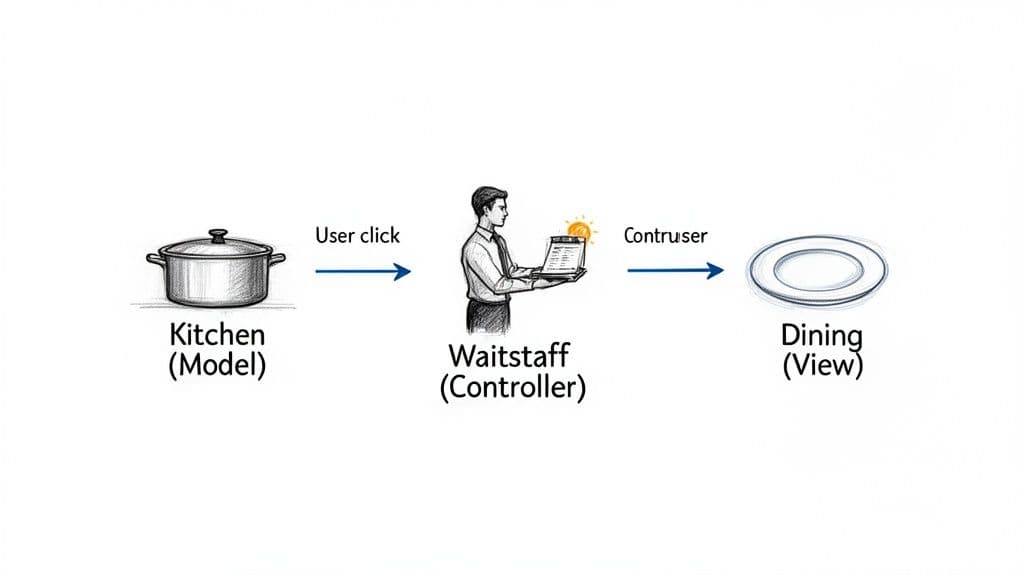
As the diagram shows, the user’s interaction starts with the Controller. The Controller talks to the Model to handle data and business rules, then tells the View what to display. That one-way flow keeps responsibilities separate and code predictable.
The restaurant analogy explained
This mental model helps reinforce the core idea of separation of responsibilities.
- The Model (The Kitchen): The kitchen holds the ingredients (data) and the recipes (business logic). It doesn’t interact with customers directly; it focuses on data and rules.
- The View (The Dining Area): The dining area is everything the customer sees. The View presents data given by the Controller and captures user actions. It contains no business logic.
- The Controller (The Waitstaff): The waiter takes orders (user input), passes them to the kitchen (Model), and brings plates to the dining area (updates the View). The Controller coordinates; it doesn’t cook or decorate.
MVC components at a glance
| Component | Primary responsibility | Restaurant analogy |
|---|---|---|
| Model | Manages application data and business logic | The Kitchen |
| View | Presents data to the user; user interface | The Dining Area |
| Controller | Handles user input and mediates Model and View | The Waitstaff |
“The MVC pattern ensures each part has a single, well-defined responsibility. That separation prevents code from becoming tangled and makes it easier to maintain and scale.”
Understanding the Model, View, and Controller
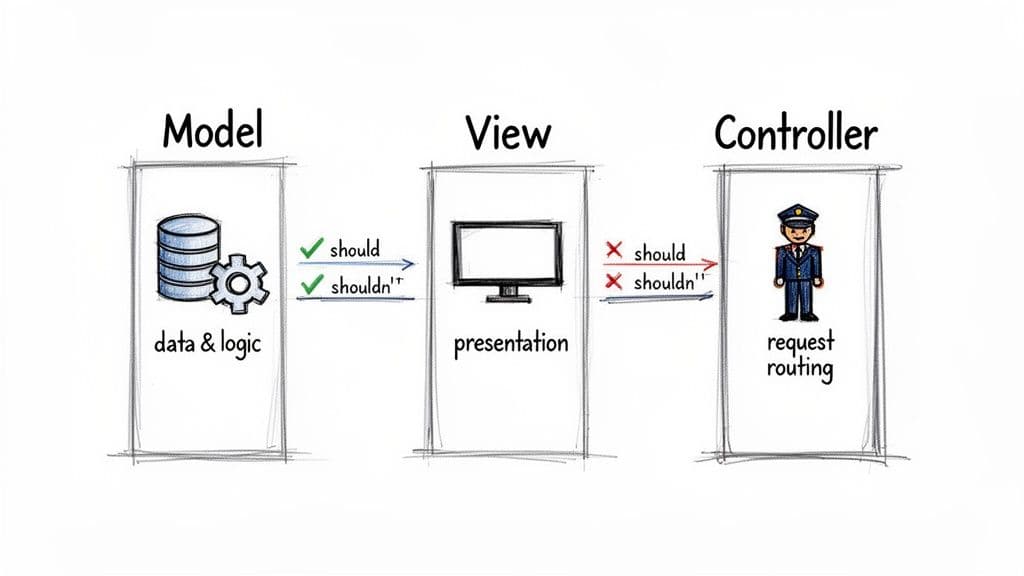
Behind every simple box-and-arrow diagram is a set of concrete responsibilities. Keeping each layer focused reduces coupling and simplifies testing and maintenance.
The Model: the brain of the application
The Model manages data, state, and business logic. When a user updates their profile, the Model fetches the record, validates changes, and persists them. The Model shouldn’t know how data will be presented.
In some projects, models also encapsulate domain behavior—methods that operate on the data they own—so logic remains close to the data it affects.
The View: the face of the application
The View contains UI components: buttons, forms, charts, and text. Its job is to display data and report user actions. A good View is “dumb”: it should not contain business rules.
Visual consistency matters. During design, choose a cohesive theme so the user experience feels polished and predictable.
“The cardinal rule of the View is “show, don’t tell.” It displays information and reports user actions, but it never decides how data is processed.”
The Controller: the traffic cop
The Controller receives input from the View, calls the Model to perform business logic, and selects the View to render results. It listens for user actions, coordinates logic, and updates the UI.
- Receives input from the View
- Calls the Model to enforce business rules
- Passes results back to the View for rendering
Nailing these roles keeps your code organized and easier to navigate.
The enduring power and evolution of MVC
Why does a pattern from the 1970s still matter? MVC solved a timeless problem—taming UI complexity by separating data management from presentation—which remains central to modern development.1
From Xerox PARC to modern frameworks
Trygve Reenskaug sketched the original idea while working with Smalltalk at Xerox PARC; the concept evolved into the three-part Model-View-Controller we know today.1 Over time, MVC became the scaffolding for major web frameworks like Ruby on Rails, Django, and ASP.NET.2
“By separating what your application does from how it looks, you get a system that’s far easier to maintain and test.”
An evolving but relevant pattern
Modern architectures have grown more complex, but many are evolutions of MVC’s central ideas. Learning MVC gives you a solid foundation for understanding MVVM and other patterns. Its principles still guide how we structure apps today.
Seeing MVC in action with modern frameworks
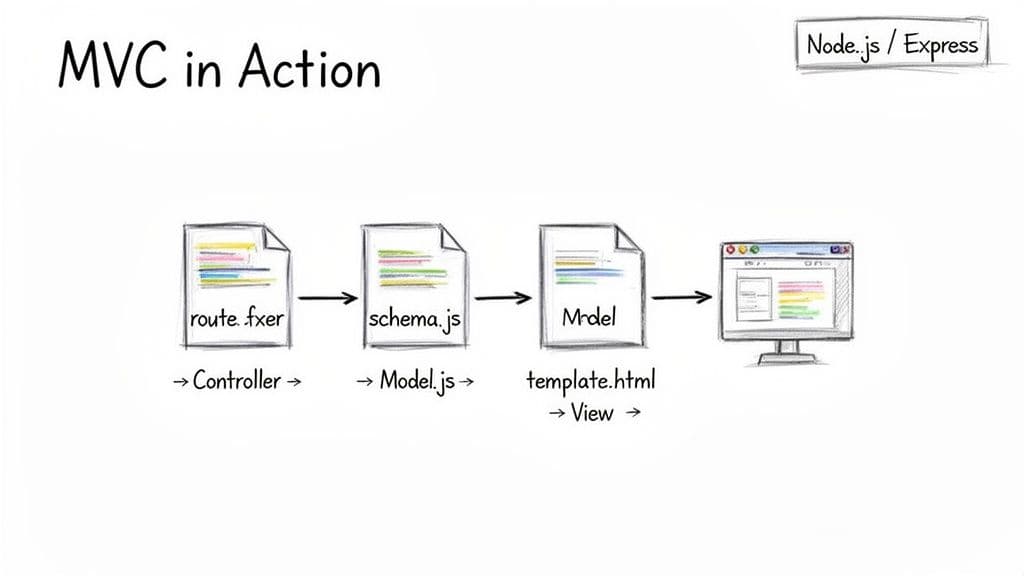
Abstract diagrams become useful when you can map them to files and folders in your project. Here are practical examples in Node.js/Express and React/Next.js.
A Node.js and Express example
- The user navigates to /users/123 and the browser sends a GET request.
- The Express router acts as the Controller (e.g., routes/userRoutes.js). It extracts the ID and orchestrates the request.
- The Controller calls a Model method (e.g., models/User.js) to fetch the user from the database.
- When the Model returns data, the Controller selects a View template (e.g., views/profile.pug) and renders the page.
This clear hand-off keeps routing, data access, and presentation separate and testable.
“MVC isn’t about file names. It’s a mental model for assigning responsibilities so changes in the UI don’t break business logic and changes in data storage don’t force a UI rewrite.”
MVC principles in the React and Next.js world
React components are the View. In Next.js, API route handlers often become Controllers, and your data-access/business logic—Prisma, Drizzle, or similar—acts as the Model. This separation prevents UI code from being tightly coupled to specific databases or APIs and keeps the codebase flexible.5
How MVC actually makes your team faster
MVC creates clear lanes for developers. The front-end team can build the View with dummy data while the back-end team implements APIs and business logic. This parallel work reduces blockers and speeds delivery.3
Letting teams work in parallel
- Front-end team: focuses on presentation, UX, and client-side logic
- Back-end team: focuses on data integrity, business rules, and API performance
Teams using clear separation of concerns can deliver features faster and with fewer merge conflicts.
Making onboarding and maintenance less painful
A consistent MVC structure is like a map for your codebase. New developers find what they need faster. When bugs appear, you know where to look: UI issues in the View, data issues in the Model, and orchestration problems in the Controller.
Refactoring your codebase for a clean MVC structure
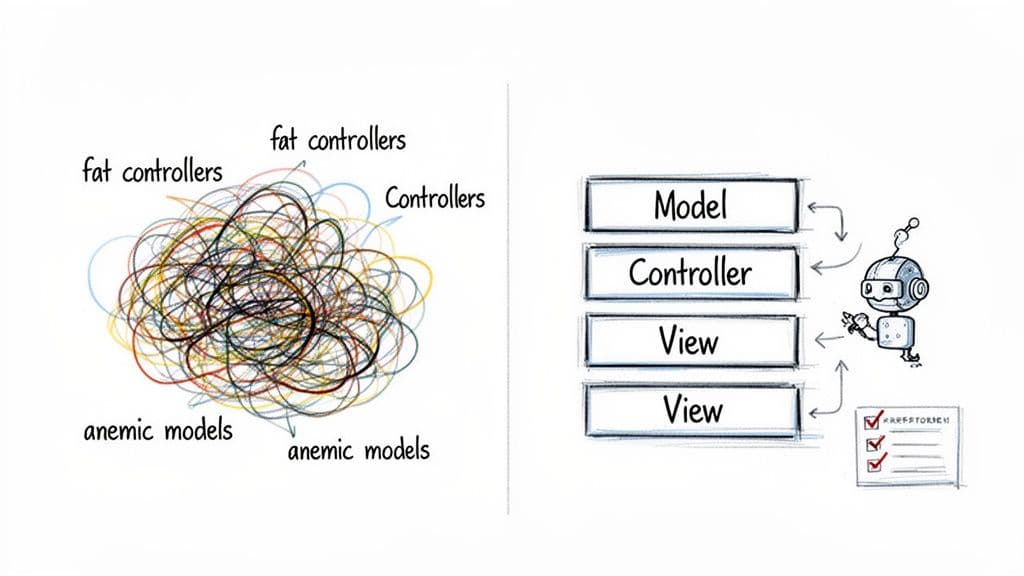
Codebases drift. Two common anti-patterns are fat controllers and anemic models. Identifying and fixing these keeps your architecture healthy.
Fixing common MVC anti-patterns
Slimming down fat controllers
A fat controller holds business logic that belongs in the Model. Symptoms include long controller methods and embedded validation or queries. Refactor by moving business logic into models or a service layer so controllers only orchestrate requests.
Enriching anemic models
An anemic model is just a data container with no behavior. Move related logic into the model—methods like calculateAge() or validatePassword() belong next to the data they operate on.
“A healthy MVC app is balanced: controllers coordinate, models contain business logic, and views focus on presentation.”
Enforcing clean patterns automatically
Automated tools can help enforce separation of concerns as a project grows. Research shows tooling can detect MVC violations across projects, which lets teams measure and track architectural health.4
Use linters and project-specific rules to flag anti-patterns during development and keep your codebase ready for collaboration and automated tooling.
Common questions answered
When should I not use MVC?
MVC works well for traditional request-and-response apps. For highly interactive single-page applications that manage complex client-side state, patterns like MVVM may be a better fit. Tiny single-purpose microservices can be overkill if forced into a full MVC structure.
Can I use MVC principles with React or Next.js?
Yes. React handles the View. Next.js API routes act as Controllers, and your data-access and business rules (Prisma, Drizzle, etc.) act as Models. Separating concerns this way keeps your UI independent from data storage and APIs.5
What’s the biggest mistake teams make with MVC?
Letting layer boundaries blur. That usually results in fat controllers and anemic models. Keep logic where it belongs and resist the urge to shortcut separation for quick fixes.
At Clean Code Guy, we help teams implement and clean up architectural patterns like MVC to build software that lasts. If you’re wrestling with fat controllers or want to get your codebase ready for AI-assisted development, see how our code audits and refactoring services can help you ship with more speed and confidence at https://cleancodeguy.com.
Quick Q&A
Q: How do I spot a fat controller?
A: Look for long controller methods that perform validation, run complex queries, or contain business calculations; those belong in models or services.
Q: When should domain logic live in a service layer instead of a model?
A: Use a service layer for workflows that span multiple models or external systems; keep single-entity rules inside the model.
Q: What simple checks can measure MVC health?
A: Run static analysis and linter rules that flag controllers with direct DB calls or models with zero behavior, then track those metrics over time.4
1.
Trygve Reenskaug’s MVC origins and Smalltalk-79 history. See https://en.wikipedia.org/wiki/Model%E2%80%93view%E2%80%93controller.
2.
Examples of major frameworks that use MVC concepts: Ruby on Rails (https://rubyonrails.org), Django (https://www.djangoproject.com), ASP.NET (https://dotnet.microsoft.com/apps/aspnet).
3.
Industry discussions and reported benefits of MVC-style organization, including productivity gains and maintainability. See https://techaffinity.com/blog/mvc-architecture-benefits-of-mvc/.
4.
Research on automated detection of architectural and MVC implementation issues: SEKE paper describing analysis methods. See https://ksiresearch.org/seke/seke19paper/seke19paper_163.pdf.
5.
Framework documentation for Express, React, and Next.js: Express (https://expressjs.com/), React (https://react.dev/), Next.js (https://nextjs.org/).
🙋🏻♂️
AI writes code.You make it last.
In the age of AI acceleration, clean code isn’t just good practice — it’s the difference between systems that scale and codebases that collapse under their own weight.