Learn how living architecture diagrams speed development and improve clarity with C4 modeling, diagrams-as-code, CI automation, and practical maintainability practices.
January 9, 2026 (9mo ago) — last updated August 26, 2026 (1mo ago)
Software Architecture Diagrams: Best Practices & Tools
How living architecture diagrams speed development with C4, diagrams-as-code, CI automation, and maintainability tips.
← Back to blog
Software Architecture Diagrams: Best Practices & Tools
Learn how an architecture software diagram speeds development with C4 modeling, diagrams-as-code, and practical maintainability tips.
An architecture software diagram is a visual blueprint for your software system. It lays out the core components, shows how they’re wired together, and explains how they interact. Think of it as the master plan that keeps development on track, improves communication, and helps ensure systems work together as intended.
Why modern teams need a living architecture diagram
Most architecture diagrams end up gathering digital dust in a forgotten wiki corner, out of sync with the codebase. They become relics—nice to look at, but useless. A living diagram that evolves with your codebase is different: it’s a strategic tool that helps teams move faster and make better decisions, especially for complex stacks like React, Next.js, and TypeScript.
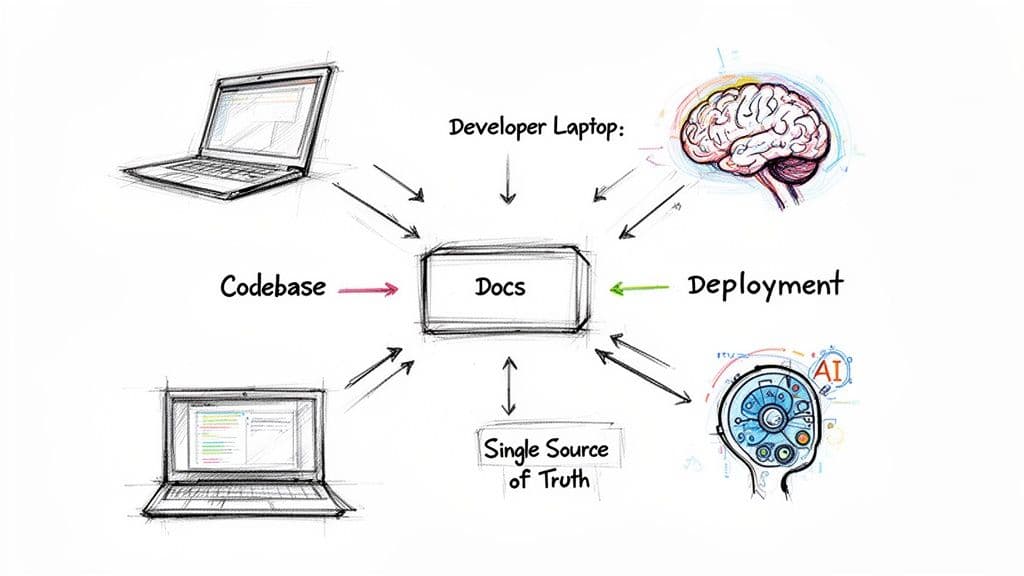
A kept-up-to-date diagram becomes the single source of truth for everyone, from new hires to senior stakeholders. It also powers AI-assisted development by providing high-level system context that improves suggestions and refactors.
Solving key development pain points
A clear diagram removes ambiguity and speeds collaboration. Common gains include:
- Documentation drift: When diagrams live with the code, they update alongside changes and stop becoming obsolete.
- Faster onboarding: New engineers spend less time piecing together the system and contribute sooner.
- Better collaboration: A shared visual map helps align product, design, and engineering conversations.
“A great architecture software diagram doesn’t just show what was built; it guides what to build next.”
When AI coding assistants have access to current diagrams, they produce far more accurate suggestions because they understand the “why” behind the code’s “what.” This approach has helped keep projects like lifepurposeapp.com, microestimates.com, and fluidwave.com maintainable and consistent.
Define scope and notation before you draw
Before drawing a single box or arrow, decide what you’re trying to communicate and who the audience is. The level of detail needed for a non‑technical stakeholder differs from what a developer needs for a refactor. Trying to serve everyone with one diagram usually creates a cluttered mess.
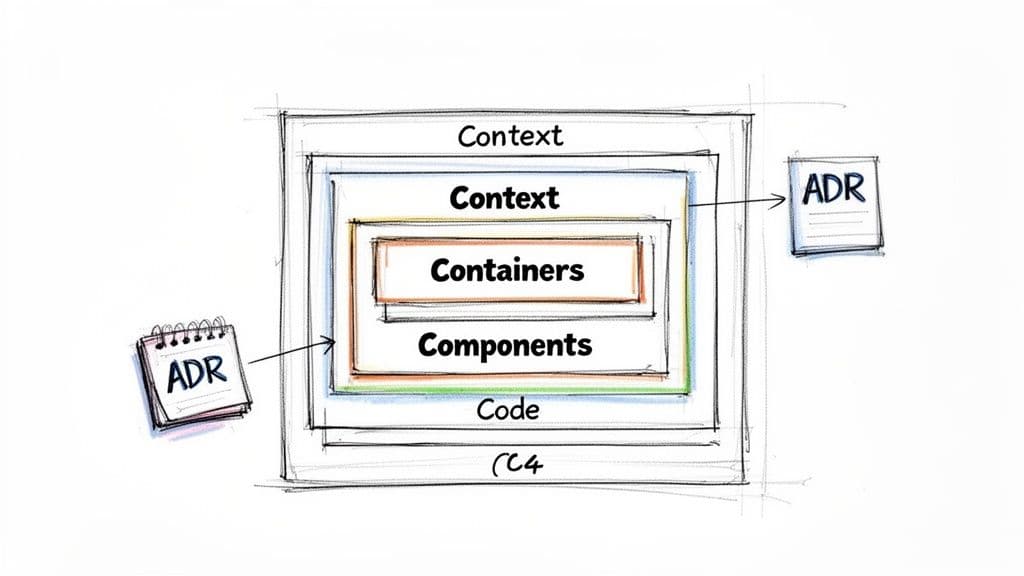
Structured approaches that offer different “zoom levels” work best. The C4 model is one such approach.
Adopt the C4 model for clarity
C4 provides four abstraction levels so you can tailor diagrams to the conversation:
- Level 1: Context — A 10,000-foot view showing the system as a single box and its external interactions. Good for executives and product managers.
- Level 2: Containers — Deployable units (web apps, APIs, databases) and technology choices. Ideal for architects and lead developers.
- Level 3: Components — Internal building blocks inside a container. For developers working in that service.
- Level 4: Code — Implementation details; often handled in the IDE rather than static docs.
C4 gives a hierarchical map so you can start with Context and zoom into Containers and Components when needed.
Choosing your C4 level
| C4 Level | Primary audience | Purpose | Example use case |
|---|---|---|---|
| Context | Non-technical stakeholders | Show the system’s role and interactions | Onboarding a new product manager |
| Containers | Architects, dev leads | Show high-level structure and tech choices | Planning a cross-service feature |
| Components | Developers | Show internal design of a service | Designing modules for a new microservice |
| Code | Individual devs | Implementation details | Inspecting class relationships in an IDE |
Choosing the right level is an act of empathy for your audience: give them exactly what they need, not everything you know.
Recent market research highlights strong growth in diagram software usage as teams adopt cloud collaboration and living documentation practices1.
Document the “why” with ADRs
Diagrams show the what and how; Architecture Decision Records (ADRs) capture the why. An ADR is a short text file that records a single architectural decision, its context, and consequences. Linking C4 diagrams to ADRs creates documentation that’s both a snapshot and a living history—helpful when someone asks why PostgreSQL was chosen over MongoDB, for example. ADRs are a widely recommended pattern in the community2. See our guide on architectural design software for more on combining diagrams and ADRs: /blog/arch-design-software.
Selecting tools for collaborative diagramming
A diagram is only as useful as the tool used to build and maintain it. Stale diagrams often come from disconnected desktop tools. To keep docs useful, pick tools that support collaboration, version control, and automation.
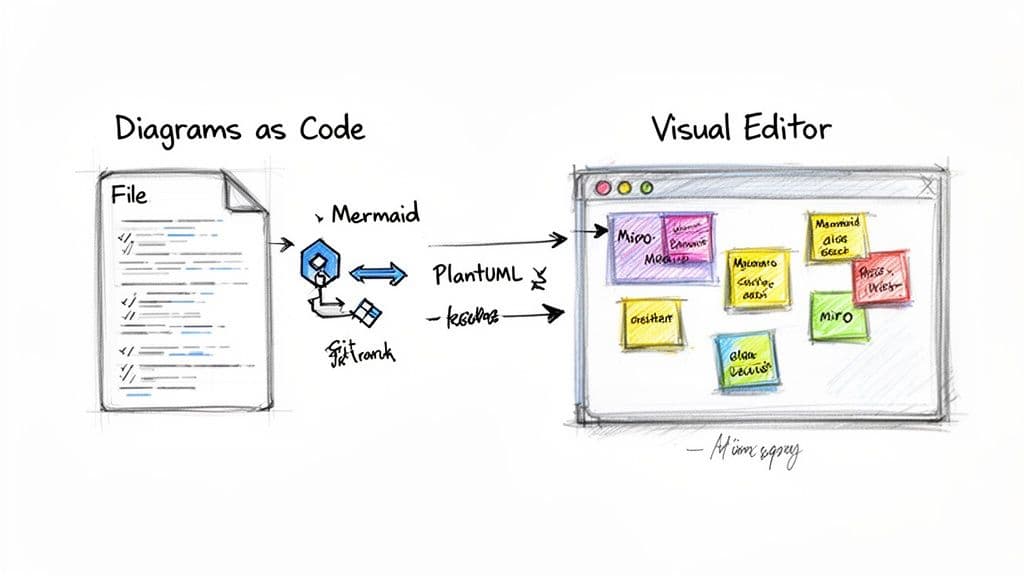
On the left is a simple text-based syntax that renders a clean flowchart on the right. This diagrams-as-code approach is a game-changer because it lets documentation live inside your Git repository and evolve with the code.
The rise of diagrams as code
Diagrams as code treats visuals like any other software artifact. Instead of dragging shapes in a GUI, define diagrams in text files and check them into Git. Advantages include:
- Version control: Every change is tracked.
- Code review: Architectural changes go through pull requests.
- Automation: Text files render automatically in CI/CD.
Tools like Mermaid and PlantUML are popular and well supported by the community4.
Comparing tooling philosophies
| Tool category | Pros | Cons | Best for |
|---|---|---|---|
| Visual editors (Miro, Lucidchart) | Intuitive for non-devs; great for brainstorming | Often disconnected from code; limited versioning | Cross-functional ideation and stakeholder workshops |
| Diagrams as code (Mermaid, PlantUML) | Lives in Git; enables automation and PR reviews | Steeper learning curve for non-devs | Engineering teams wanting living docs |
| Hybrid tools (Structurizr) | Code-based model with visual tooling; generate multiple views | More complex to set up | Teams committed to C4 and centralized architecture docs |
The best tool is the one your team will actually use. Start small—try diagrams as code on a single service before rolling it out.
Weaving diagrams into your daily workflow
A diagram is only useful if it’s accurate. Make diagrams a living part of the codebase by storing source files (.puml, .mmd) in Git so changes and diagrams can be reviewed together.
Making diagrams part of the repo
Commit diagram source files directly into your repo. When you change architecture, include the diagram update in the same pull request. This review loop keeps diagrams synchronized with code.
Automating diagram updates with CI/CD
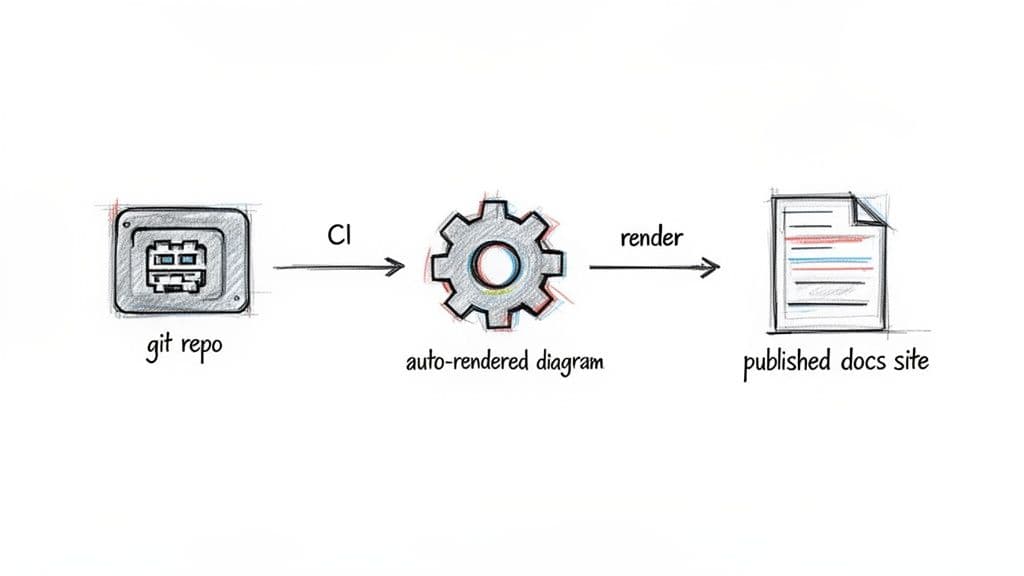
Add a CI job to render and publish diagrams when changes are merged to main:
- Commit & push updated diagram source.
- CI renders images (SVG/PNG).
- Publish visuals to your docs site or wiki.
This ensures published diagrams are never far out of date and makes documentation an automated by-product of development.
Supercharging AI tools with versioned diagrams
Version-controlled diagrams are machine-readable context for AI tools. When AI can parse current architecture, it can suggest smarter refactors, generate components that match existing patterns, and recommend more accurate bug fixes.
Treat diagrams as a core, version-controlled asset to empower both human developers and AI assistants, as was done for projects like microestimates.com and fluidwave.com.
Keeping diagrams from becoming digital dust
Creating a diagram is easy—keeping it relevant is the challenge. Common issues include overly detailed diagrams, inconsistent notation, and documentation drift. These are solvable with a few practical practices.
Avoid common anti-patterns
- Information overload: Don’t cram every detail into a single diagram; it becomes unreadable and hard to maintain.
- Inconsistent notation: Agree on a visual language so diagrams aren’t ambiguous.
- Documentation drift: Keep diagrams and code in the same workflow so they evolve together.
Best practices to keep diagrams current
- Establish clear ownership: Assign an owner for each important diagram.
- Make reviews lightweight: Include diagram updates in PRs when changes affect structure.
- Embrace automation: Use diagrams as code and CI to render and publish visuals automatically.
A diagram’s value is measured by its continued relevance. The goal is documentation that evolves with your system and remains a trustworthy map for your team. Several public‑sector programs now mandate graphical architectural diagrams as core resources for managing large IT portfolios5.
Your toughest questions about architecture diagrams, answered
How often should we update our architecture diagrams?
Treat diagrams like code. Update them in the same pull request as any significant architectural change. For visual teams, review key diagrams during sprint planning or retrospectives. On active projects, expect updates every few weeks.
What’s the difference between a system architecture diagram and a UML diagram?
A UML diagram is formal and detailed—class, sequence, and activity diagrams that dig into implementation. A system architecture diagram (C4) is high‑level and communication‑focused. Use C4 for big‑picture discussions and UML for deep technical design.
How do we get team buy‑in for maintaining diagrams?
Show direct benefits: faster onboarding, safer refactors, improved AI assistance, and clearer communication with product and stakeholders. Start with one critical service, keep its diagram current, and let the results sell the practice.
Quick Q&A — common user questions
Q: What’s the fastest way to stop documentation drift?
A: Store diagrams in Git, require diagram updates in PRs, and automate rendering in CI.
Q: Which diagram level should I start with?
A: Start with a Container diagram (C4 Level 2) for most engineering teams—it balances detail and clarity.
Q: Are diagrams as code worth the effort?
A: Yes—if you want living documentation that’s versioned, reviewable, and automatable.
Three concise takeaways — Q&A
Q: Why invest in living architecture diagrams?
A: They save time, reduce errors, and make onboarding and cross‑team collaboration faster.
Q: Which tools drive the most long‑term value?
A: Tools that integrate with Git and CI—Mermaid, PlantUML, or hybrid platforms like Structurizr—because they enable reviewable, automated docs.
Q: How do we keep diagrams relevant day to day?
A: Assign ownership, include diagram changes in PRs, and automate rendering and publishing.
1.
Grand View Research, “Diagram Software Market Size, Share & Trends Analysis Report,” 2020. https://www.grandviewresearch.com/industry-analysis/diagram-software-market
2.
adr.github.io, “Architecture Decision Records (ADR)”—community guide and patterns. https://adr.github.io/
3.
Project references: lifepurposeapp.com, microestimates.com, fluidwave.com—examples where diagrams and ADRs supported maintainability.
4.
Mermaid.js documentation and community resources. https://mermaid.js.org/
5.
California Department of Technology, Enterprise Architecture program—graphical diagrams as fundamental resources. https://cdt.ca.gov/
🙋🏻♂️
AI writes code.You make it last.
In the age of AI acceleration, clean code isn’t just good practice — it’s the difference between systems that scale and codebases that collapse under their own weight.